Cogamika — brain training that disappears into the background

I built the entire front end of Cogamika — a web platform for daily cognitive training in later adulthood, plus the no-code editor its clinical team uses to publish games.

Client: Cogamika
Year: 2023
Role: Frontend Developer

Project goal

Building the entire front end of Cogamika — the training app and its no-code game creator

The goal of the project was to build out the front end of Cogamika, a cognitive-training platform for older adults — both the app people train in every day and the no-code creator its clinical team uses to publish new games.

The product spans five cognitive domains (memory, attention, verbal functions, thinking, visual–spatial functions), six game mechanics, subscriptions, and progress tracking. My job was to translate complex designs and expert-driven requirements into clean, performant, and scalable React code — fully consistent across every surface of the product.

THE CHALLENGE

Rigorous cognitive training that has to feel effortless — and scale without a developer

Cognitive training only helps if people keep doing it. For an audience in later adulthood, that means the interface can't have a learning curve. And because the content is designed by psychologists, the front end had to let them publish games without ever touching code.

The front end had to solve two hard problems at once:

1 · One consistent, accessible experience across very different games

  • Six cognitively different mechanics, but one shared, reusable way to operate them
  • Accessibility as a baseline — large targets, unambiguous colour states, always-available rules

2 · Content the clinical team can create and publish without code

  • Games rendered from CMS data, not hard-coded, so a new game ships without new front-end code
  • A resilient authoring wizard with validation, media handling, and draft/publish states

USERS & CONTEXT

Front end built around how people actually train, not just screens

To build the module well, I had to understand who uses the product — both the people training and the experts creating the training.
🧠 The Player (older adult)
Trains daily, often with limited tech confidence. Needs zero learning curve, clear rules, and a visible sense of progress. This drove accessibility-first components and one predictable interaction model across every game.
🩺 The Clinical author
A psychologist or neuropsychologist who designs games in the creator. Needs a guided, resilient wizard with validation and a searchable media library. This drove the data-driven game system and the multi-step CMS.
🏥 The care-programme facilitator
Runs the training as part of a broader care or wellbeing programme and needs to see how participants are progressing at a glance. This drove legible progress views, clear summaries, and data that stays readable for non-technical staff.
Key insight:
This wasn't about building “game screens.” It was about building a system where clinical experts produce content and older adults consume it effortlessly. Every implementation decision affected real people — so the front end had to be fast, predictable, accessible, and consistent everywhere.

MY ROLE

Front end from component architecture to delivery and iteration

I owned the entire front-end layer of Cogamika — the player app, the six game mechanics, and the no-code creator — as well as its consistency across the whole product.

My responsibilities included:

  • ✅ Implementing the player app and game interfaces in React, based on Figma designs
  • ✅ Developing the six game mechanics as configurable, data-driven components on one shared game shell
  • ✅ Building the no-code game creator — multi-step wizard, media picker, draft/publish
  • ✅ Integrating with APIs and handling loading, error, and validation states
  • ✅ Day-to-day collaboration with backend, PM, and the clinical/psychology team
  • ✅ Iterating based on feedback from internal teams and real users

Process

How I built it — four passes from foundation to polish
I worked from the Figma designs toward a component-driven React build, layering the product up in four passes:
1 Foundations
Project setup (Create React App), routing, design tokens in CSS, the shared layout and navigation, and PL/EN internationalisation.
2 Game engine
A reusable game shell (rules panel, level selector, completion) plus each mechanic implemented as a configurable, data-driven component.
3 Product surfaces
Dashboard, library, profile, auth & payment flows and progress charts, all wired to the REST API.
4 CMS & hardening
The no-code creator (multi-step wizard, media picker, draft/publish), then accessibility, responsiveness and cross-browser polish.

player app

One clear action per screen, one interaction model to learn

The player-facing app is where the daily training happens. I built every surface around a single rule: one obvious action per screen, and one interaction model the user learns once — then reuses everywhere.

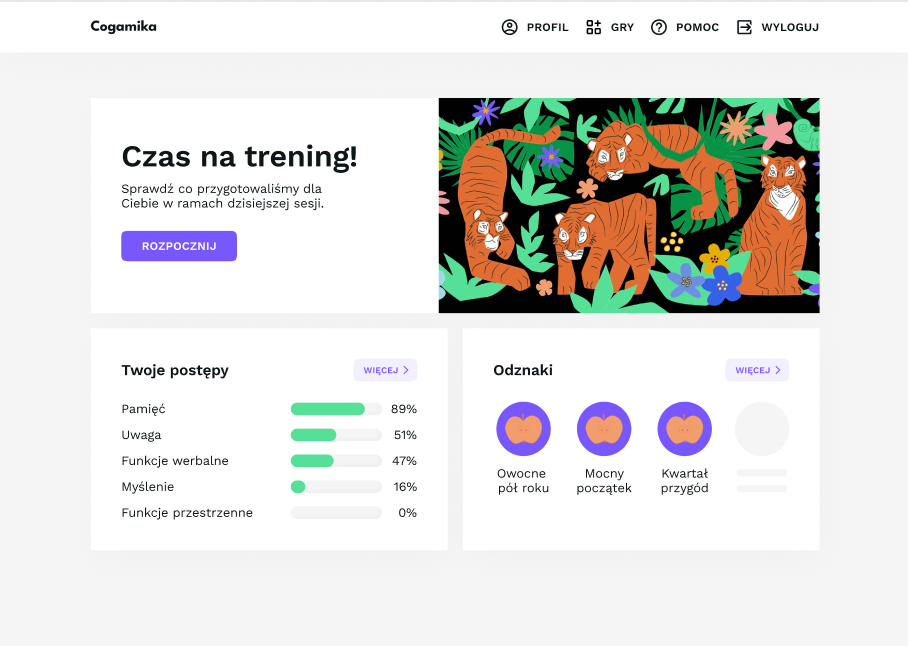
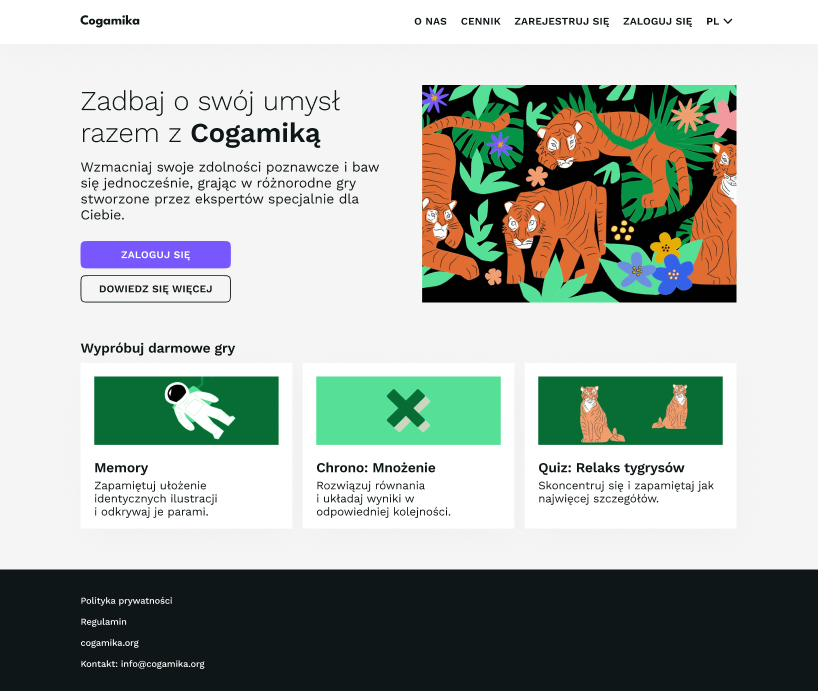
Dashboard — one primary CTA (Start the daily session), per-domain progress and streak badges.

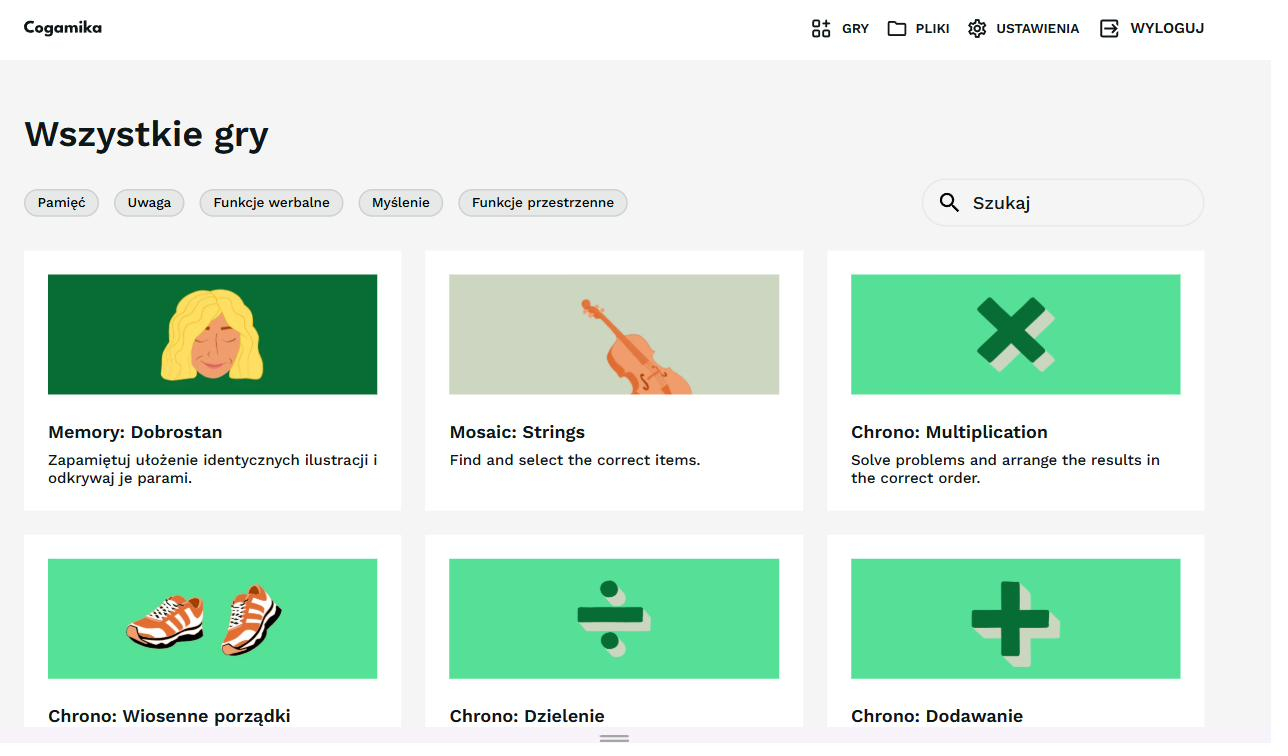
Game library — filtered by the five cognitive domains, with search and language switching.

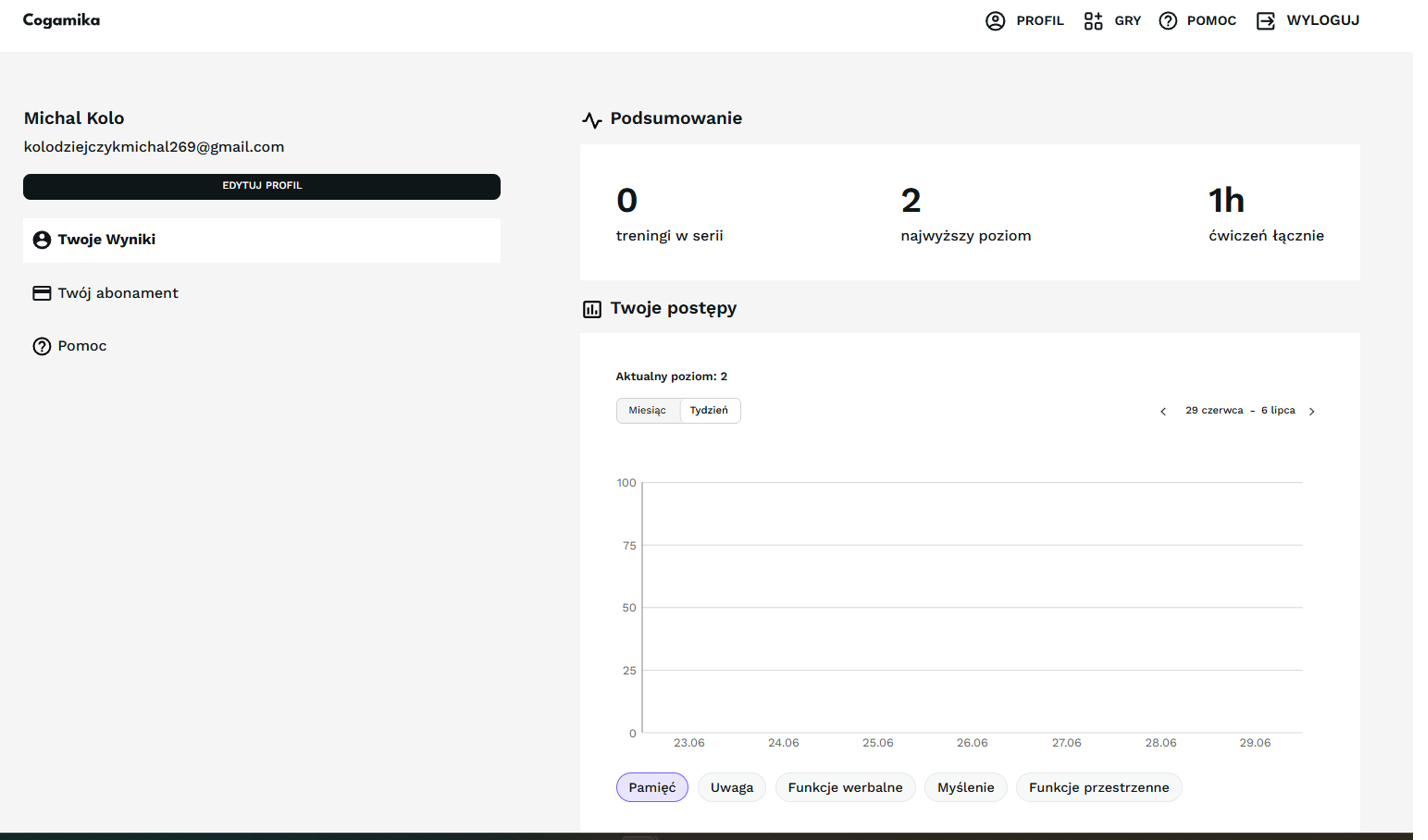
Profile — streak, highest level, total practice time and a progress chart by domain and week/month.

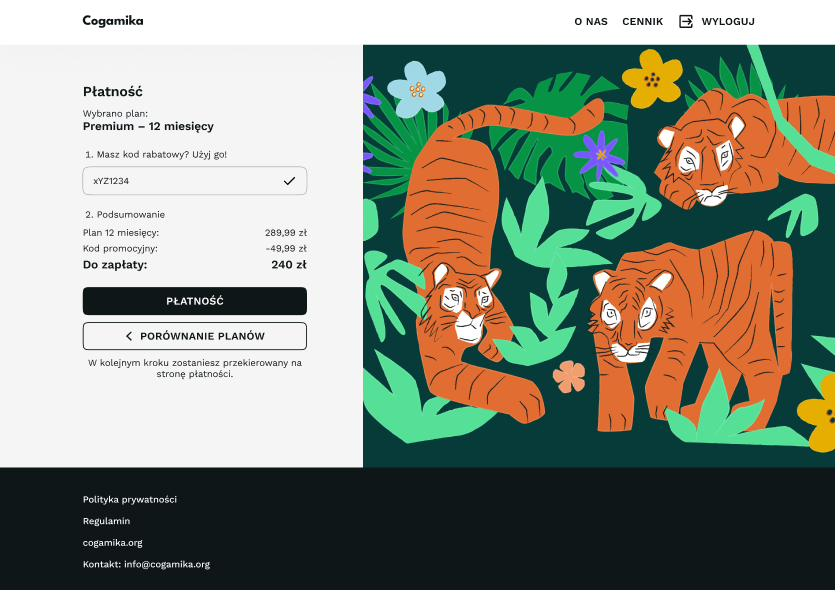
Payment — plan selection, promo-code validation and a transparent price breakdown.

Game shell

A shared shell every game reuses

Every game wears the same frame I built once and reused: Game rules (top-left, always available), Leave game, an instruction screen, a level selector (1–10), and a completion screen. Learn it once, use it everywhere.

The shared game shell — built once, reused by every game (rules, instruction, level selector, completion):

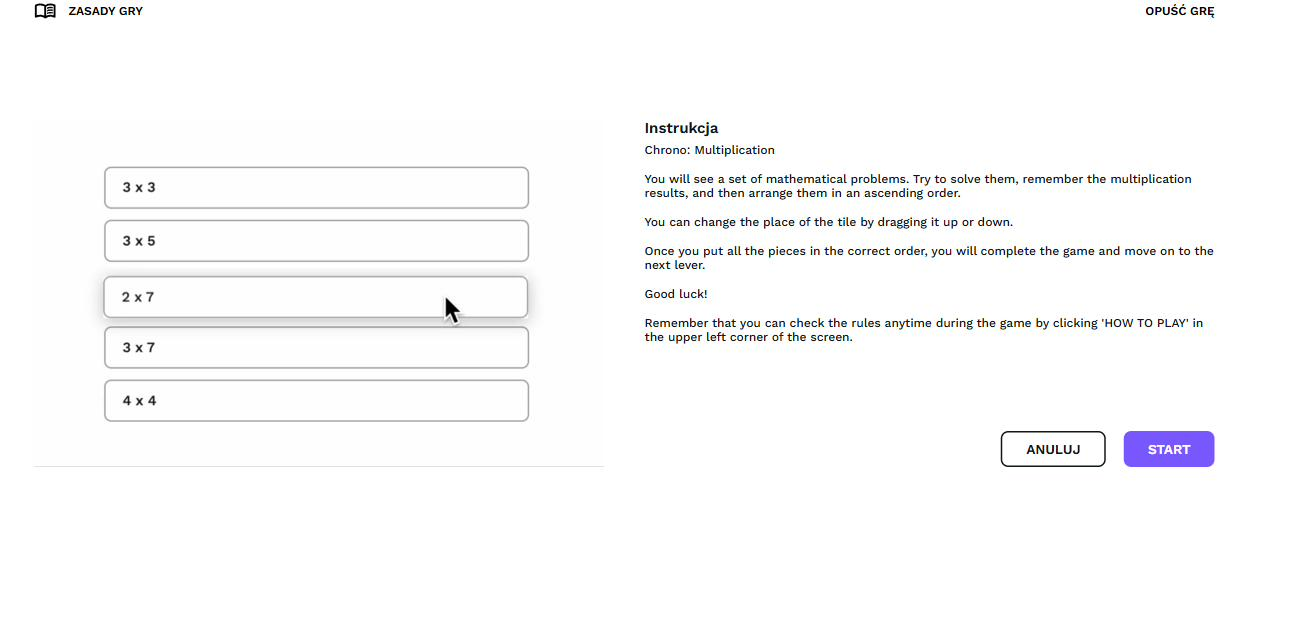
Instruction screen with board preview and Cancel / Start.

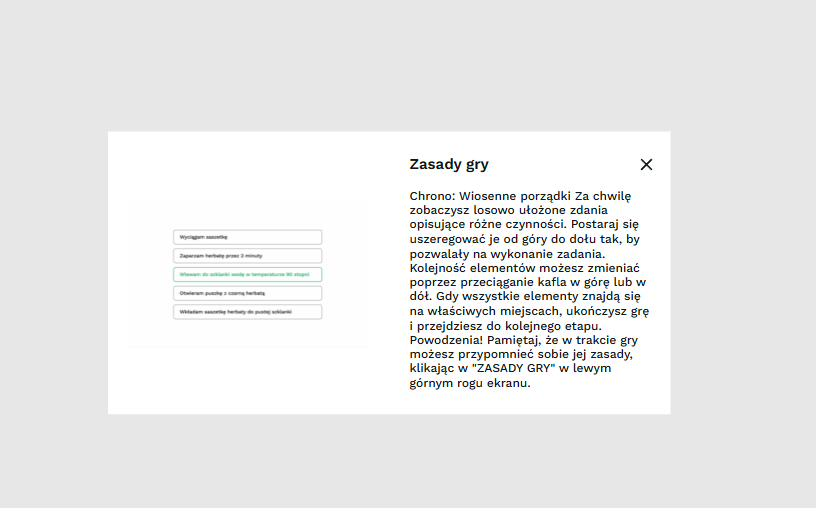
Rules — the game's rules, reachable at any point during play.

Completion — “Game complete!”, then straight into the next round.

Game mechanics

Six mechanics, one interaction language

I implemented six game types as configurable React components, each driven by CMS data and sharing the same interaction primitives — drag, select, colour feedback. Cognitively they are very different; to operate, they feel the same.

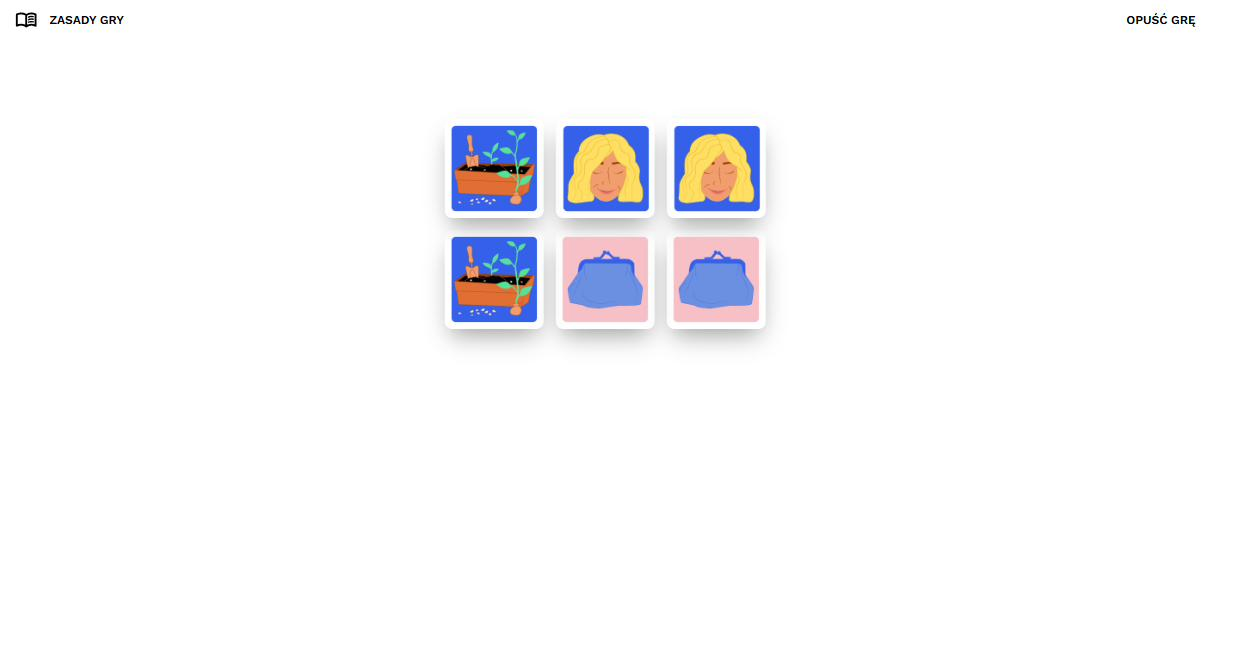
Memory — Memorise a layout, then uncover matching pairs.

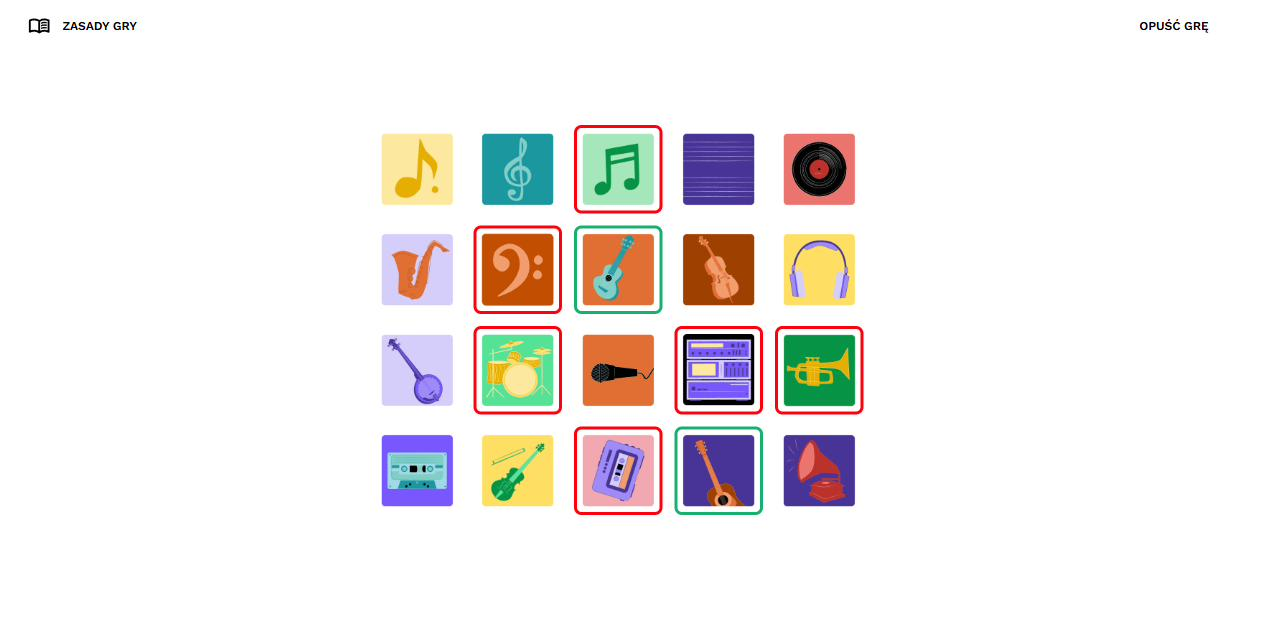
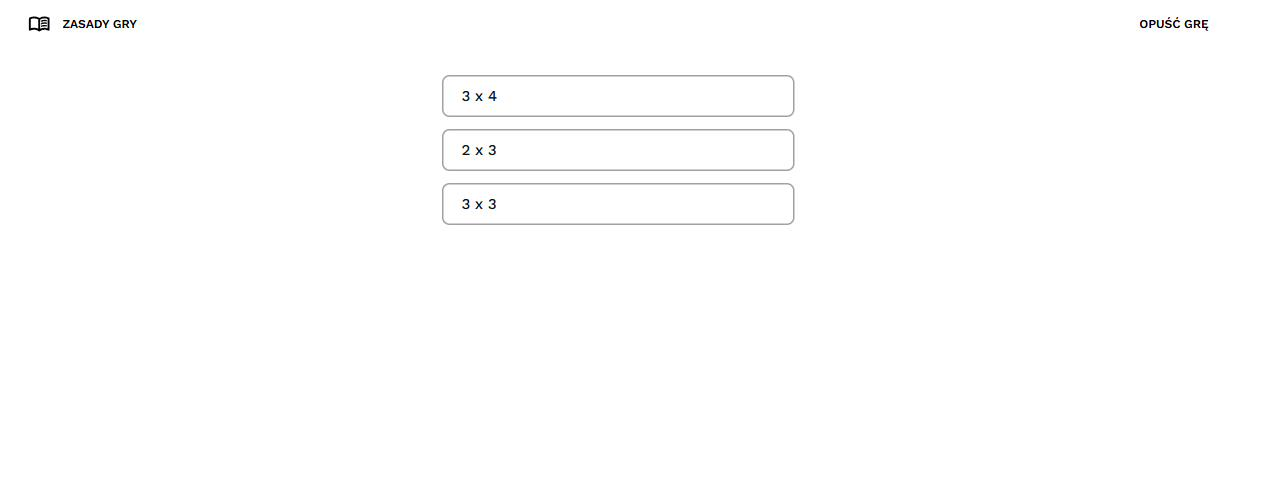
Mosaic — Select only the tiles matching a rule; colour-coded feedback.

Chrono — Drag tiles into the correct order (results ascending, task steps).

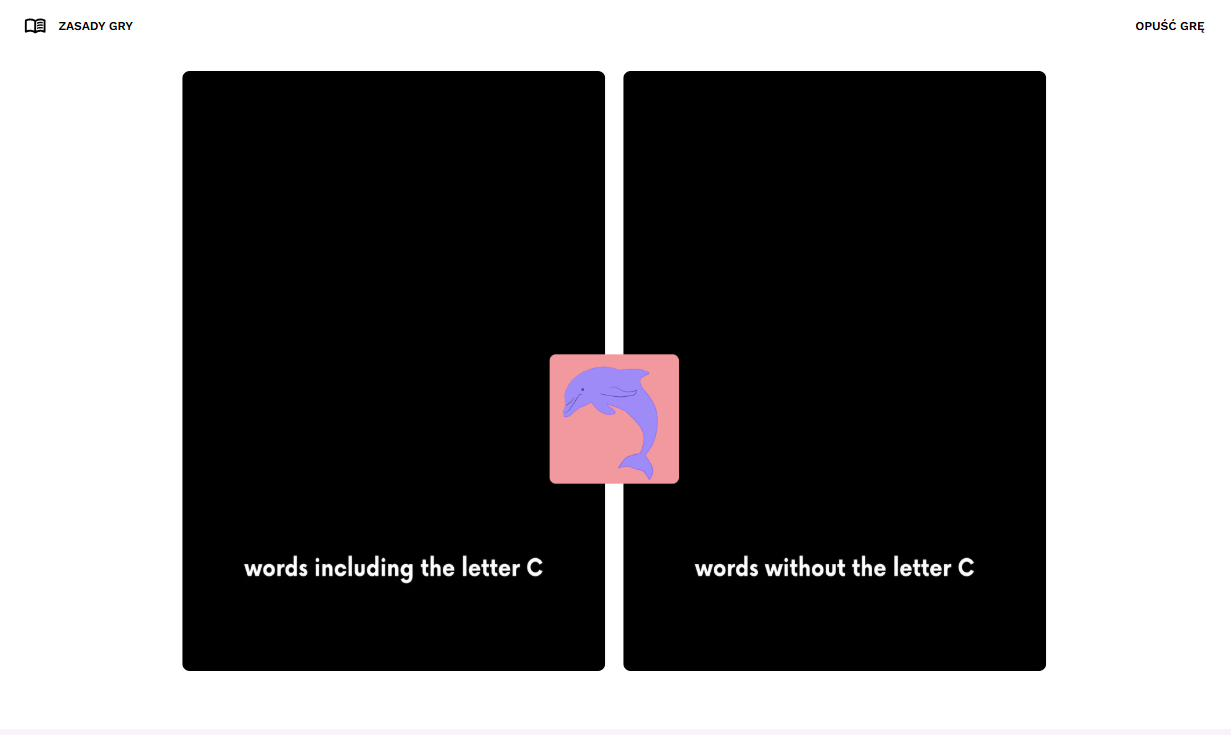
Sets — Binary sort left/right by a rule; green = right, red = wrong.

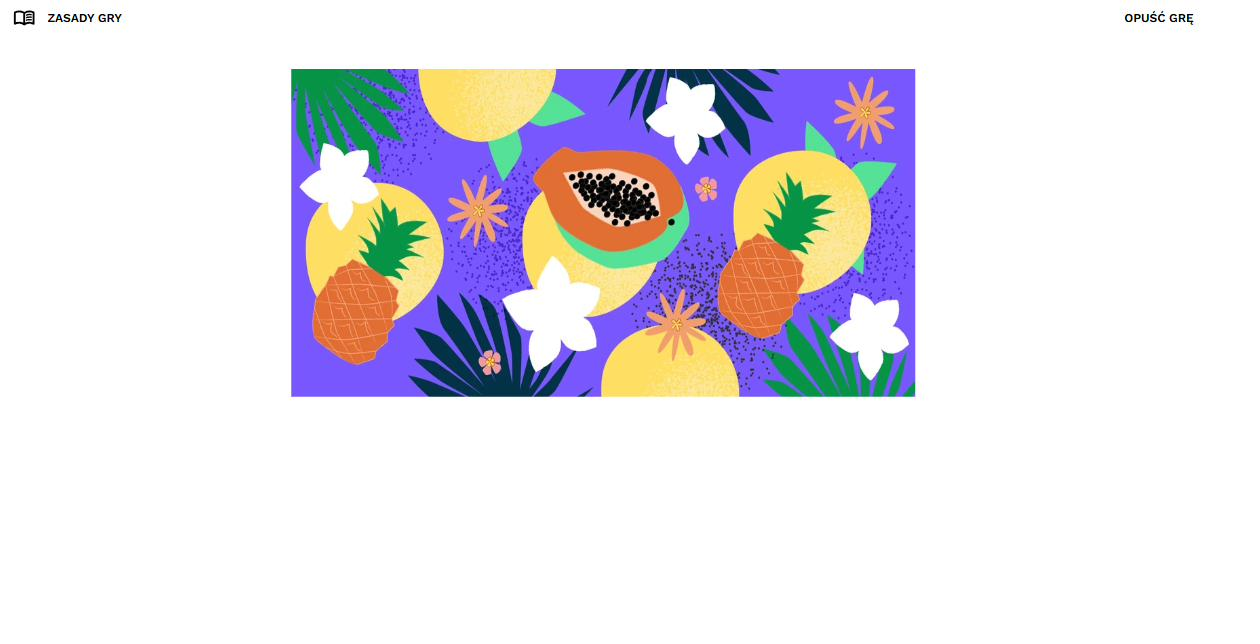
Quiz — Study an image, it disappears, answer recall questions.

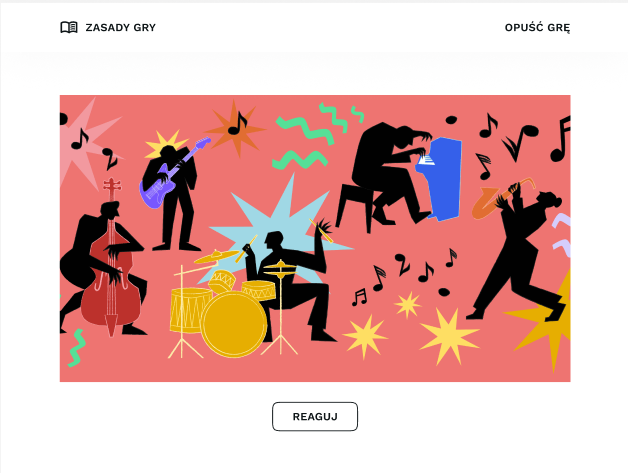
Film — Watch a scene play out and tap to react at exactly the right moment.

Spotlight feature

The game creator — turning a product into a system

The creator is the heart of the front end. Instead of hard-coding each game, I built a data-driven pipeline: a game is just CMS configuration — type, domain, ten levels, media and an instruction — that the existing game components render. That decoupled content from code, so the clinical team ships games through a six-step wizard with no developer in the loop.

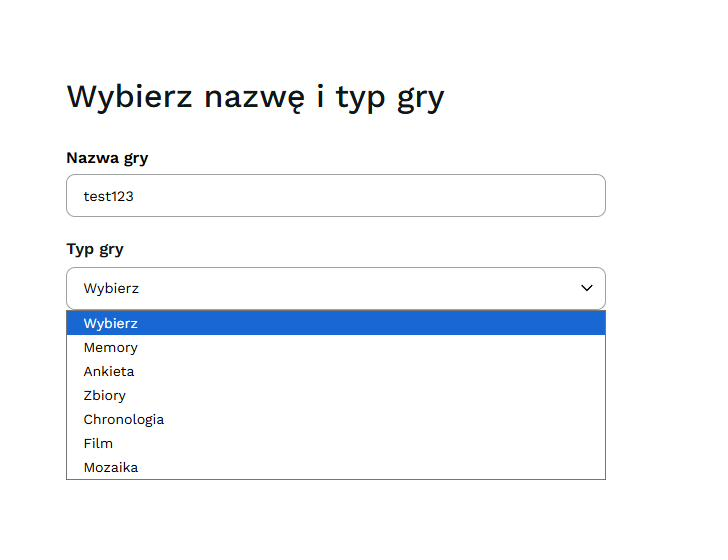
1 Name & type
Pick a type — Memory, Quiz, Sets, Chrono, Film or Mosaic.
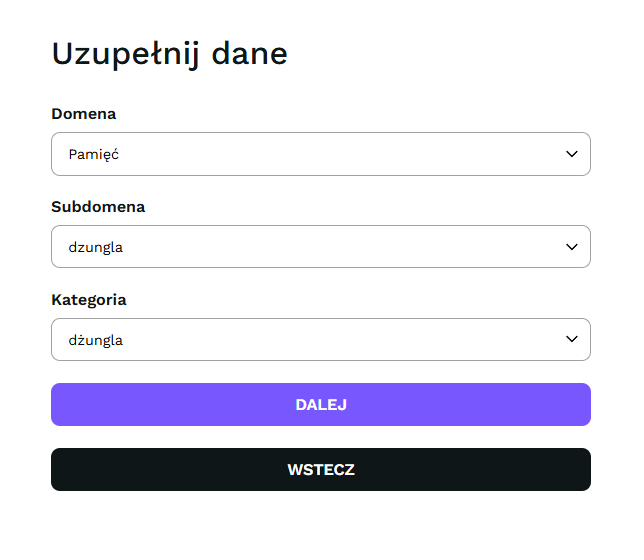
2 Classify
Map to Domain → Subdomain → Category, into the five-domain spine.
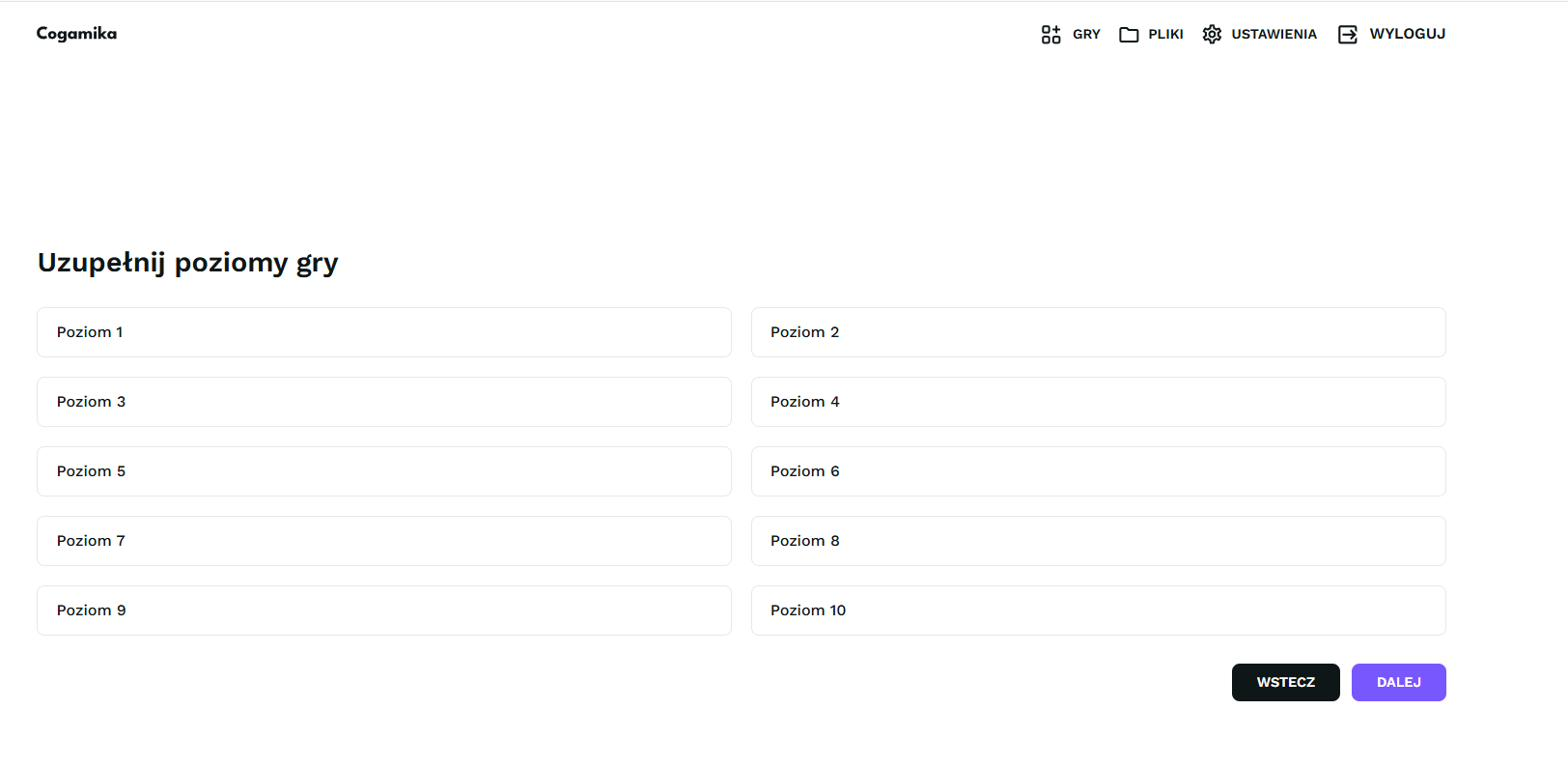
3 Levels
Configure Level 1 … Level 10 on the shared difficulty scale.
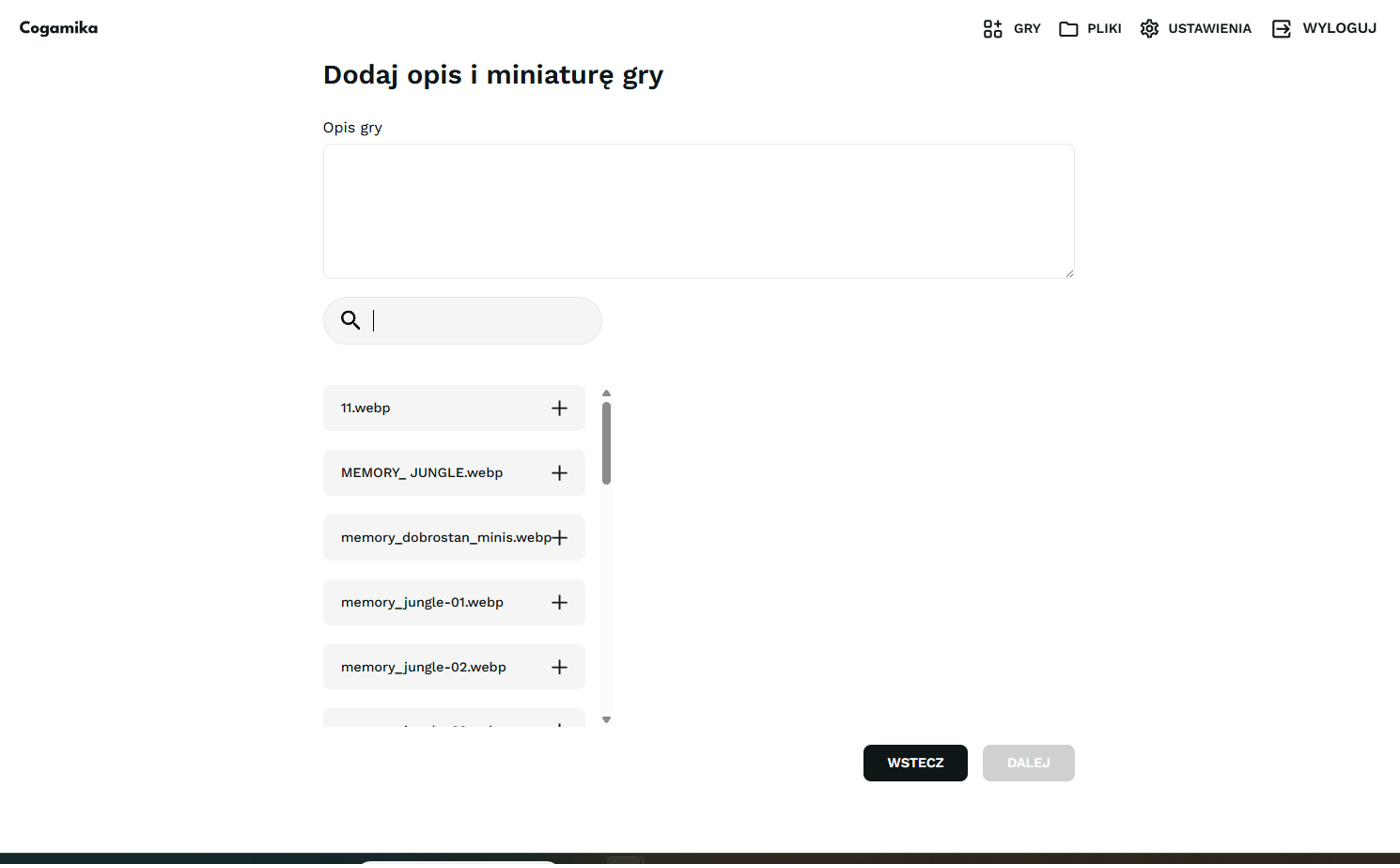
4 Description & thumbnail
Add copy and a .webp thumbnail from the Files library.
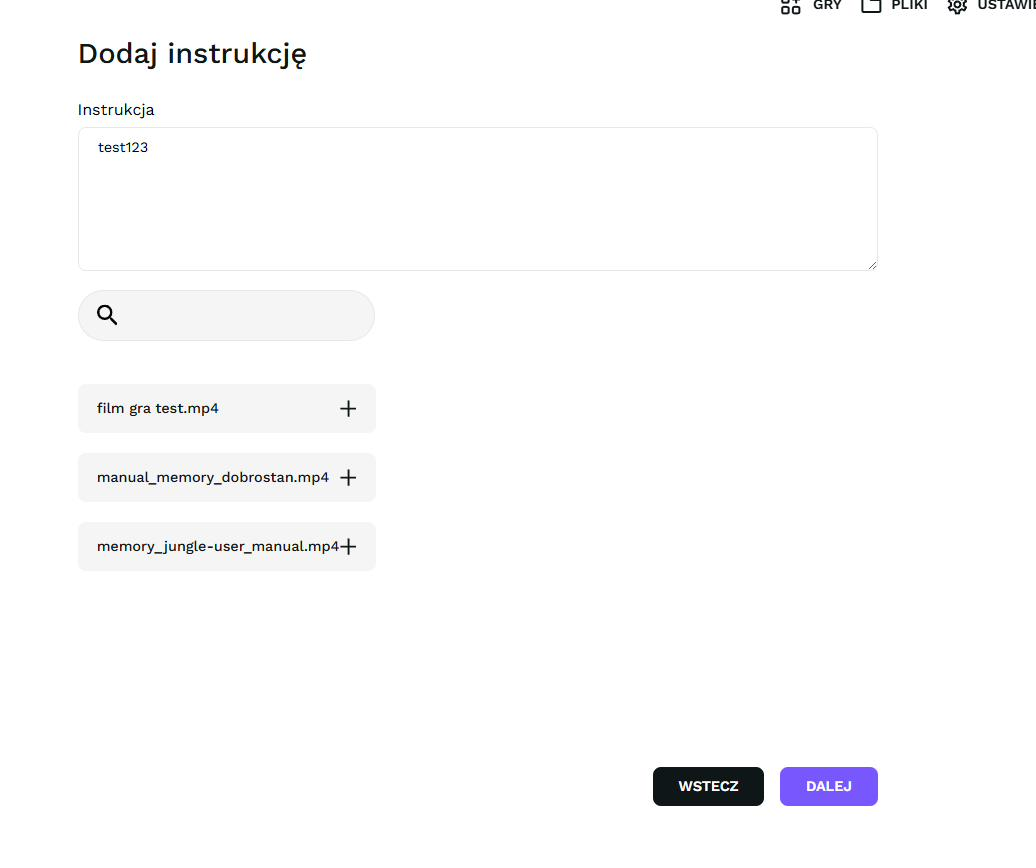
5 Instruction
Write the instruction and attach an .mp4 video manual.
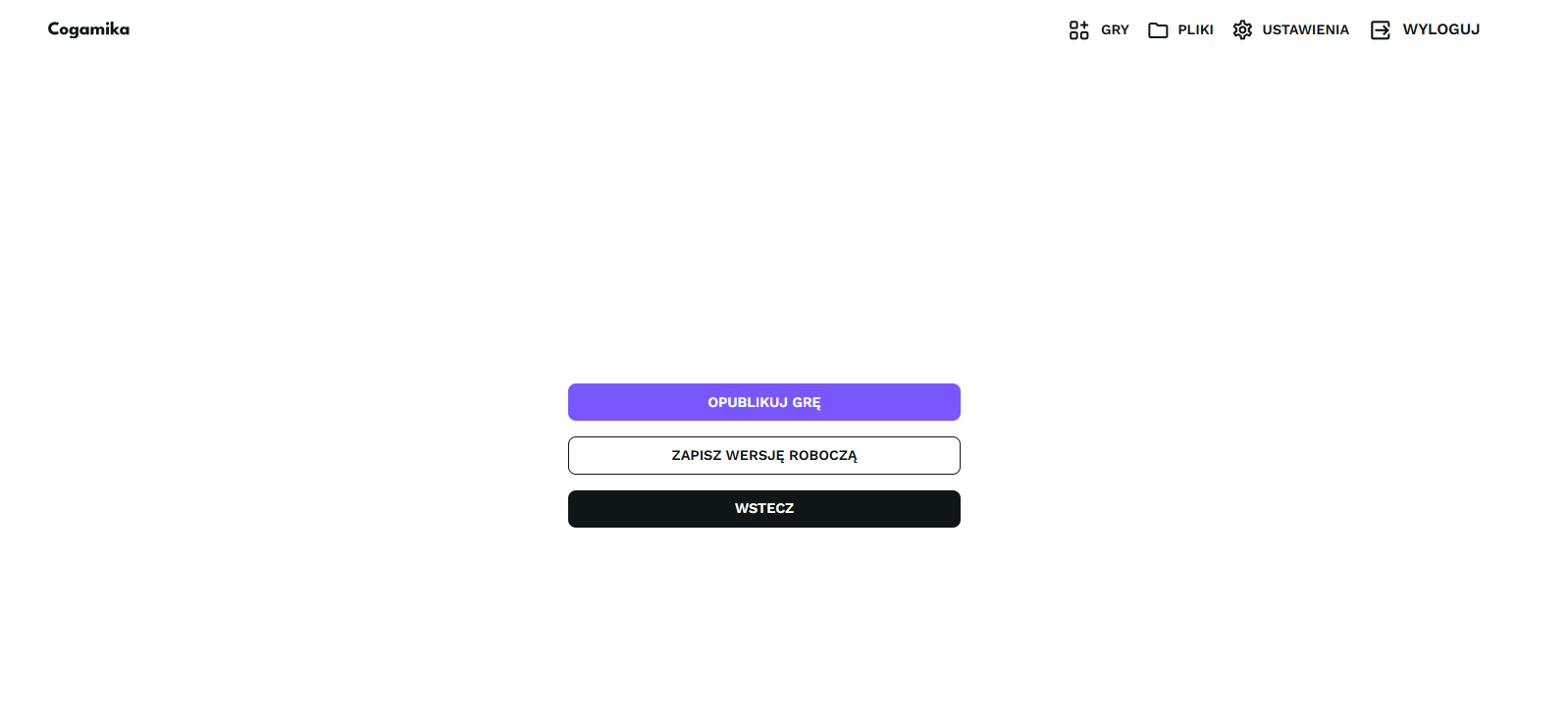
6 Publish
Publish, save a draft, or step back — with validation throughout.

Step 1 — name & type

Step 2 — domain & category

Step 3 — ten levels

Step 4 — description & thumbnail

Step 5 — instruction & video

Step 6 — publish / draft

Summary

One React front end powering
the whole product

I built and owned the entire front end of Cogamika in React — the player app, six reusable game mechanics on one shared shell, and a no-code creator that lets the clinical team publish games without a developer. It's a single accessible codebase, wired to the back-end for auth, progress and payments — designed so an older adult can start any game unaided, and an expert can build one without touching code.