Wealthon POS — Building a Scalable Restaurant Management Panel

A complete frontend rebuild of the restaurant POS module — from an outdated, cluttered interface into a cohesive, data-driven panel built in React, helping managers, owners, and kitchen staff work faster and more efficiently.

Client: Wealthon
Year: 2023-2026
Role: Frontend Developer

Project goal

Implementing a cohesive, high-performance POS panel inside the Wealthon Client Panel

The goal of the project was to build out the frontend of the POS module within the Wealthon Client Panel — the central place where restaurant owners and managers configure everything that powers the POS app used on-site.

The module handles staff access, menu structure, printer settings, reports, and operational rules. My job was to translate complex designs and business requirements into clean, performant, and scalable code, fully consistent with Wealthon's broader product ecosystem (POS, PAY, LIMIT, FLEX).

THE CHALLENGE

A powerful system… hidden behind a complex, outdated frontend

Before the redesign, the POS module was extremely feature-rich but hard to maintain and extend. New features had been added without a consistent component architecture, leading to duplicated code and an inconsistent interface.

Managers and owners struggled with:

  • Overloaded views with dozens of fields, rendered inefficiently
  • No shared, reusable components
  • Inconsistent layouts across different parts of the module
  • Complex flows requiring many interactions and states to handle
  • An outdated interface, closer to an admin panel than a modern SaaS product

In short:
The POS module was powerful…
But only if you already knew how to use it.
For new users, it was a barrier.
For existing users, it was a daily frustration.

USERS & CONTEXT

Frontend built around real restaurant workflows, not just screens

To implement the module well, I had to understand how different users interact with the system — both inside the Wealthon panel and in the real restaurant environment.
💼 Restaurant Owner
Needs quick access to reports, invoices, and product settings across multiple locations. Efficient data rendering and clear summary views were key here.
💻 Manager
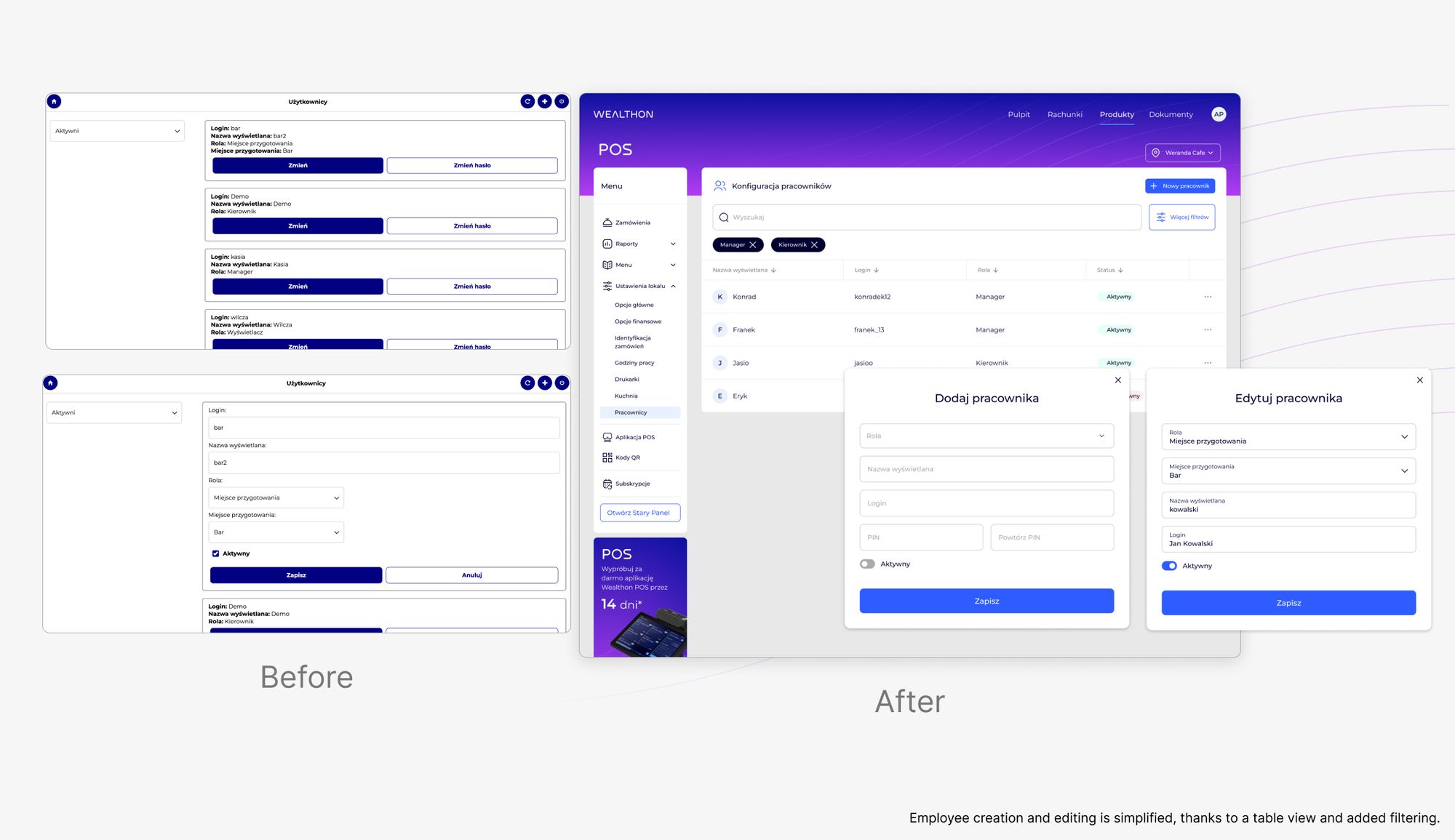
Handles day-to-day operations: configuring printers, updating menus, managing staff accounts and permissions. Interface speed and reliable form-state handling mattered most.
🤵🏻 Waiter / Cashier
Works in the POS app but depends on the settings defined in the panel. A misconfiguration slows down service, so frontend validation was critical.
🤵🏻 Kitchen Staff (KDS users)
Reads orders from the Kitchen Display System in a fast, noisy environment. Legibility and reliable real-time state rendering were essential.
Key insight:
This wasn't about building "settings screens." It was about building how a restaurant actually operates. Every implementation decision affected real people, in real time, during service. So the frontend had to be fast, predictable, error-resistant, and legible even under pressure.

MY ROLE

Frontend from component architecture to delivery and iteration

I owned the frontend layer of the POS module in the Wealthon panel, as well as its consistency with the POS app used in restaurants.

My responsibilities included:

  • ✅ Implementing the POS module interface in React, based on Figma designs
  • ✅ Building a reusable component library from scratch, shared between POS and CRM
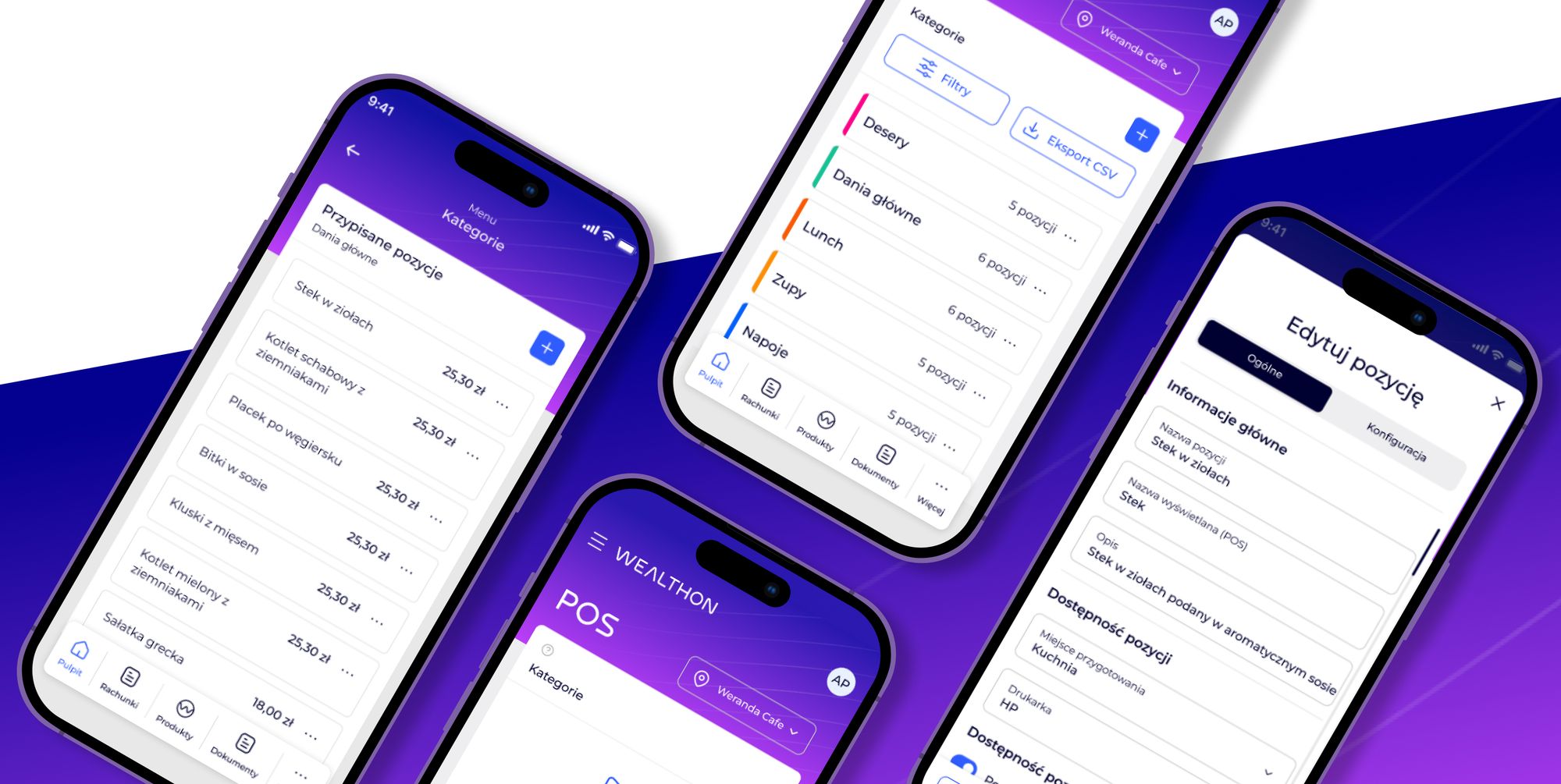
  • ✅ Developing views: staff management, menus, settings, printers, reports
  • ✅ Integrating with APIs and handling loading, error, and validation states
  • ✅ Day-to-day collaboration with backend and business analysts
  • ✅ Translating complex business and technical requirements into clean components
  • ✅ Iterating based on feedback from internal teams and real users

This was not a typical “design screens” role. It required product thinking, system thinking, and real ownership.
TECHNICAL CHALLENGES

Technical challenges in the legacy panel

Before the redesign, the module had grown into a massive configuration tool — without a consistent frontend architecture. Each feature was stacked on the previous ones, resulting in tangled, overloaded code that was hard to extend and maintain.

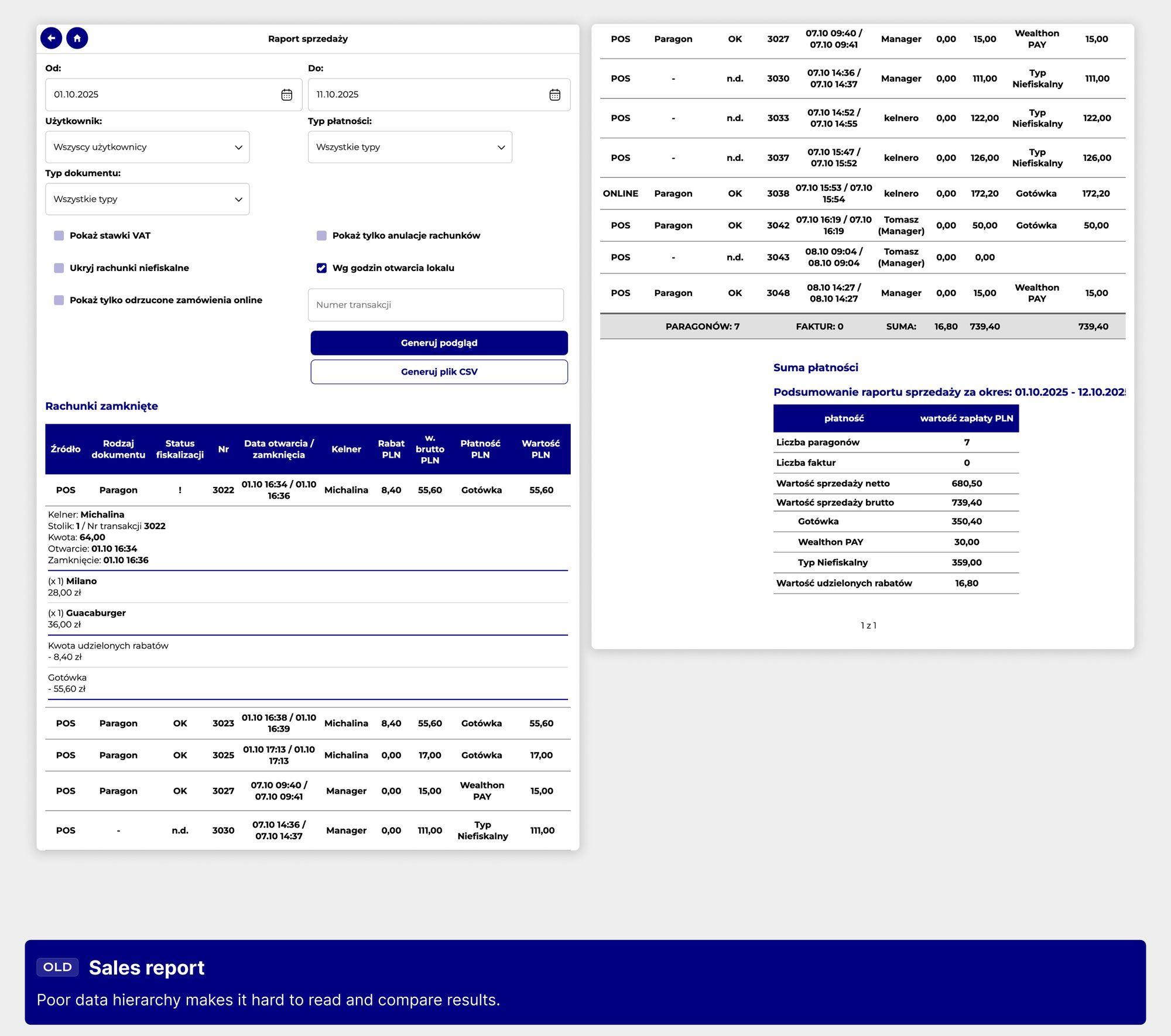
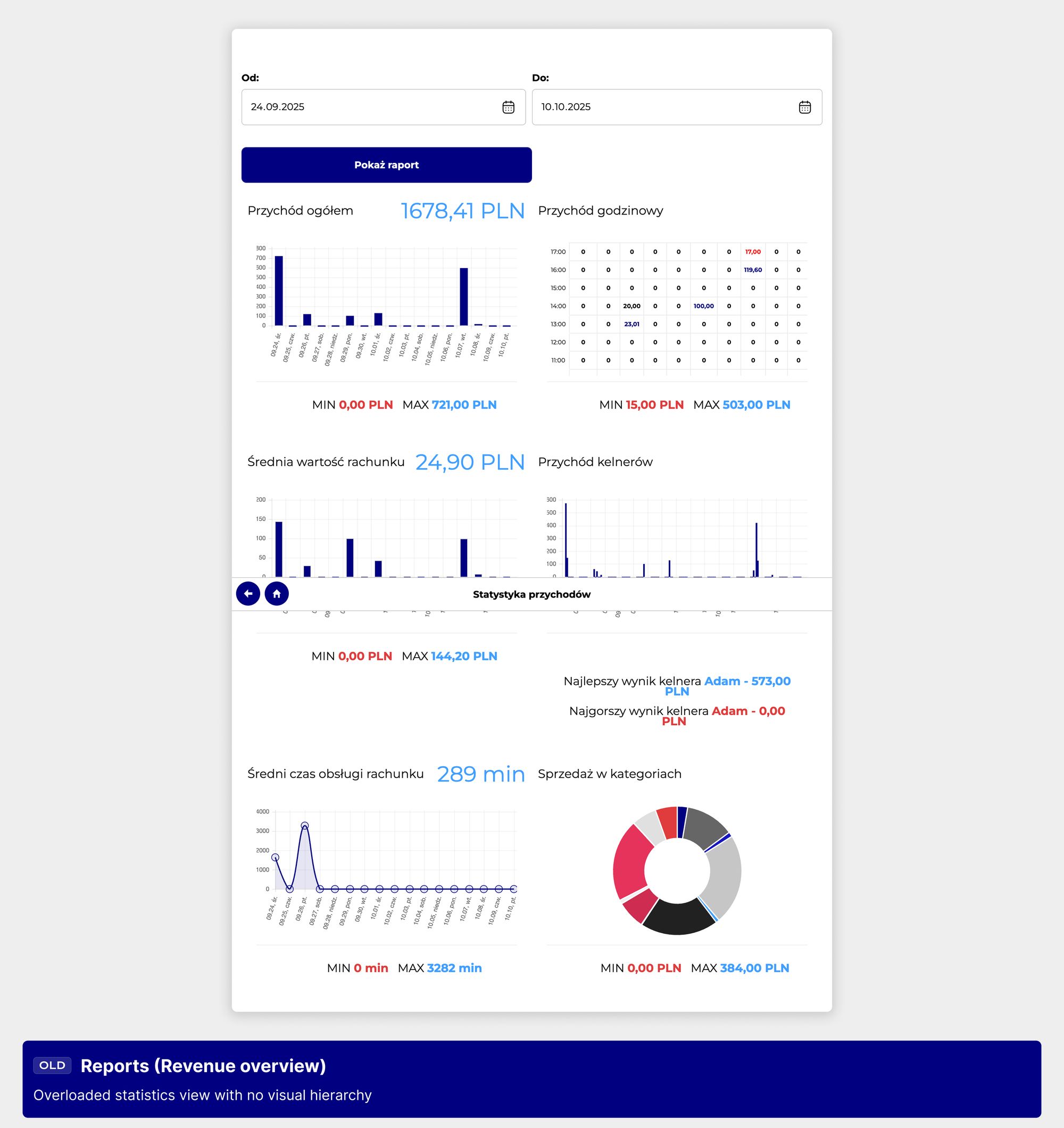
1. Overloaded dashboard with no hierarchy

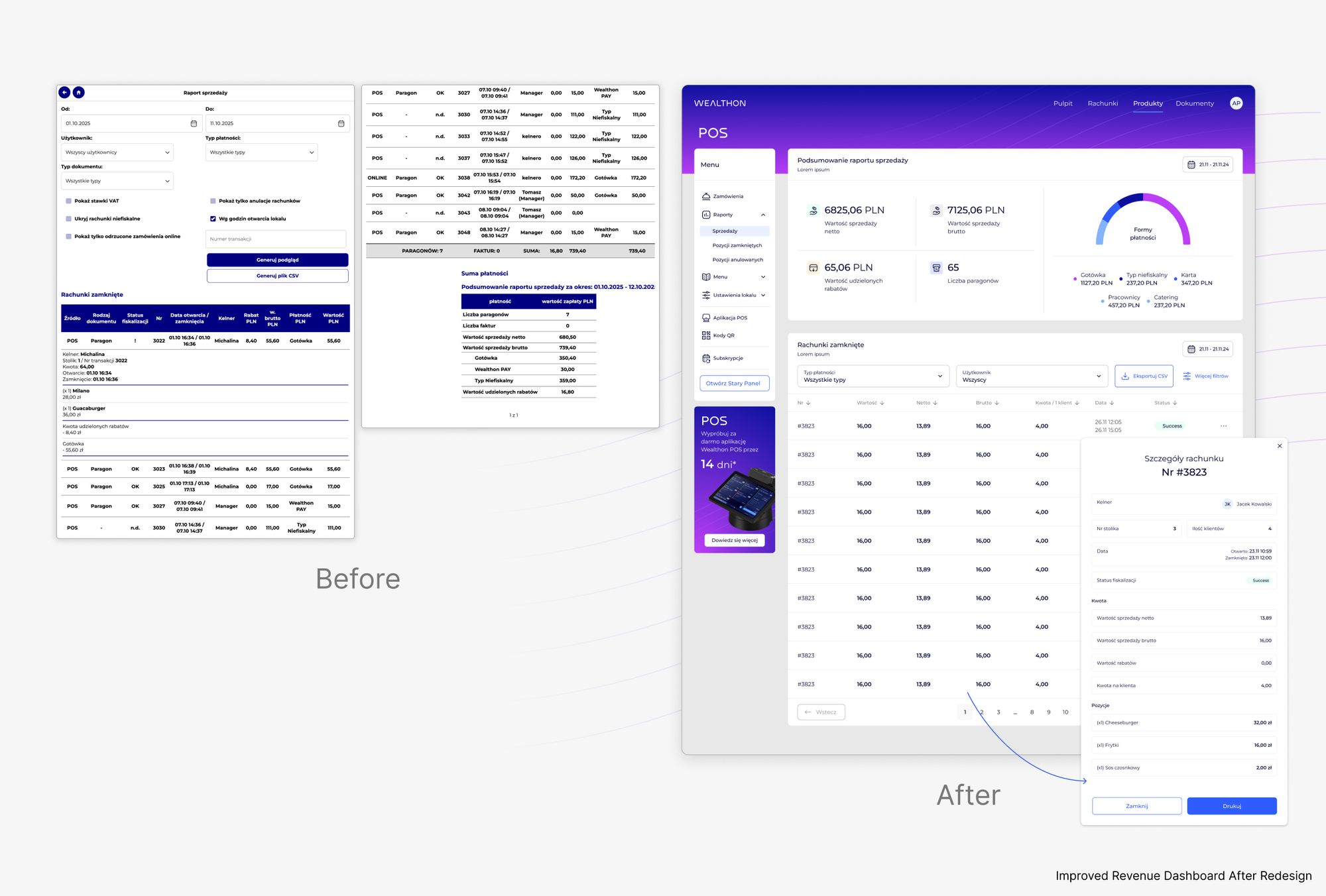
The main view rendered too much data at once — dense tables, multiple font sizes, inconsistent spacing. This required refactoring into smaller, controlled components.

2. Nested, unreadable tables

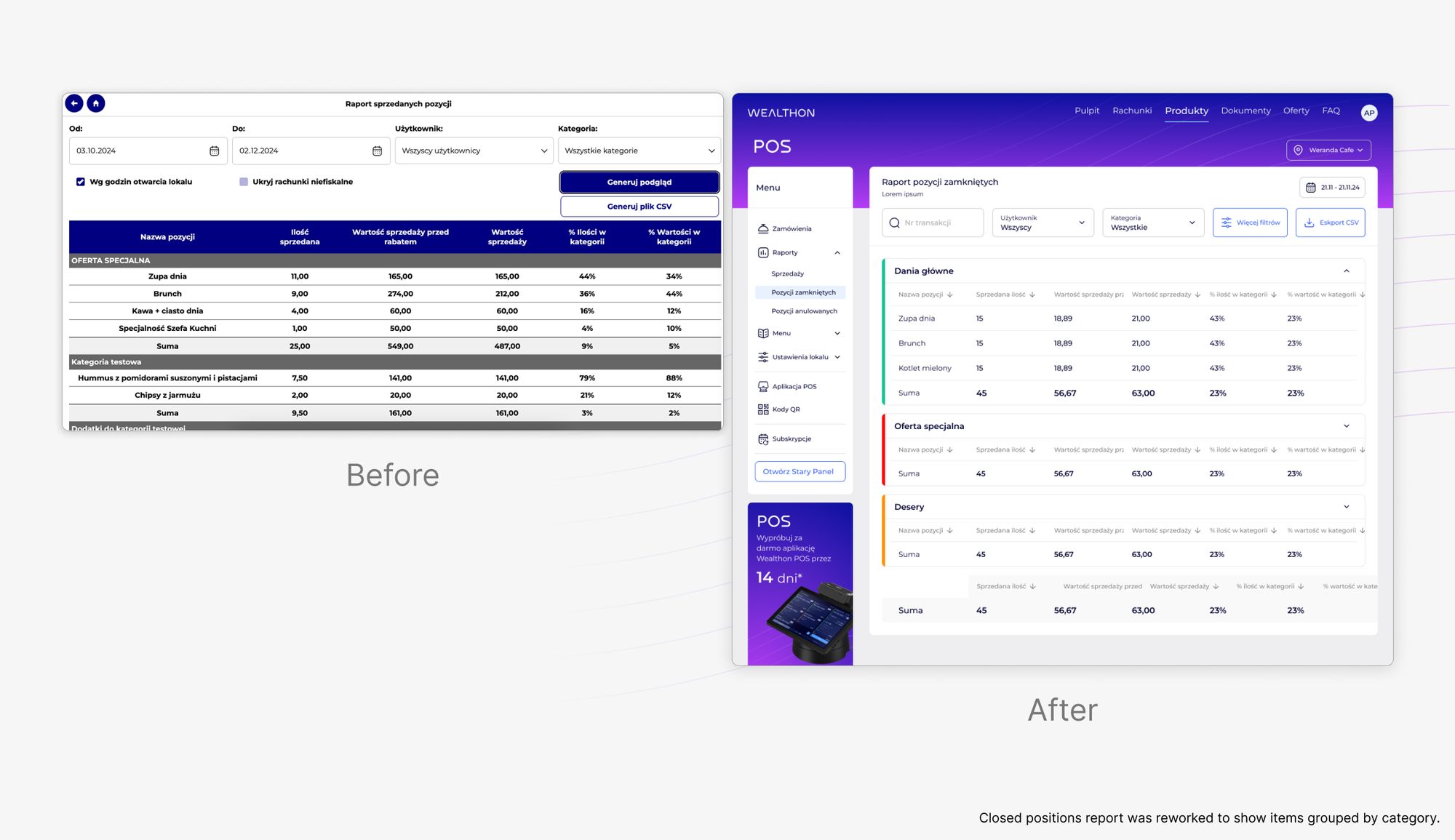
Tables were deeply nested and expanded unpredictably. I rebuilt them into a dedicated table component with pagination to improve legibility and performance.

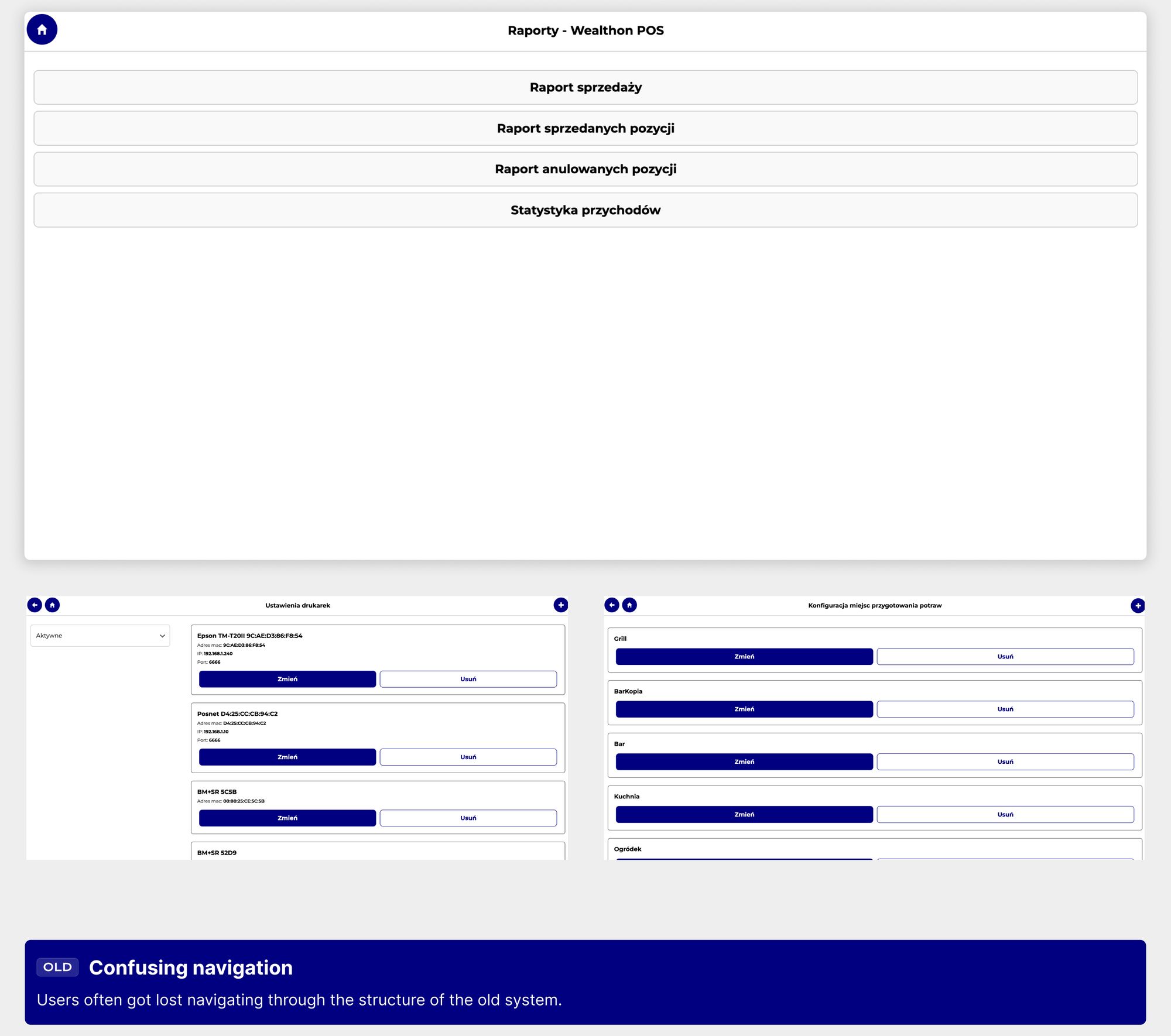
3. Fragmented navigation

Navigation between sections was inconsistent — users had to return to the dashboard. I restructured the routing and view structure into a predictable layout.

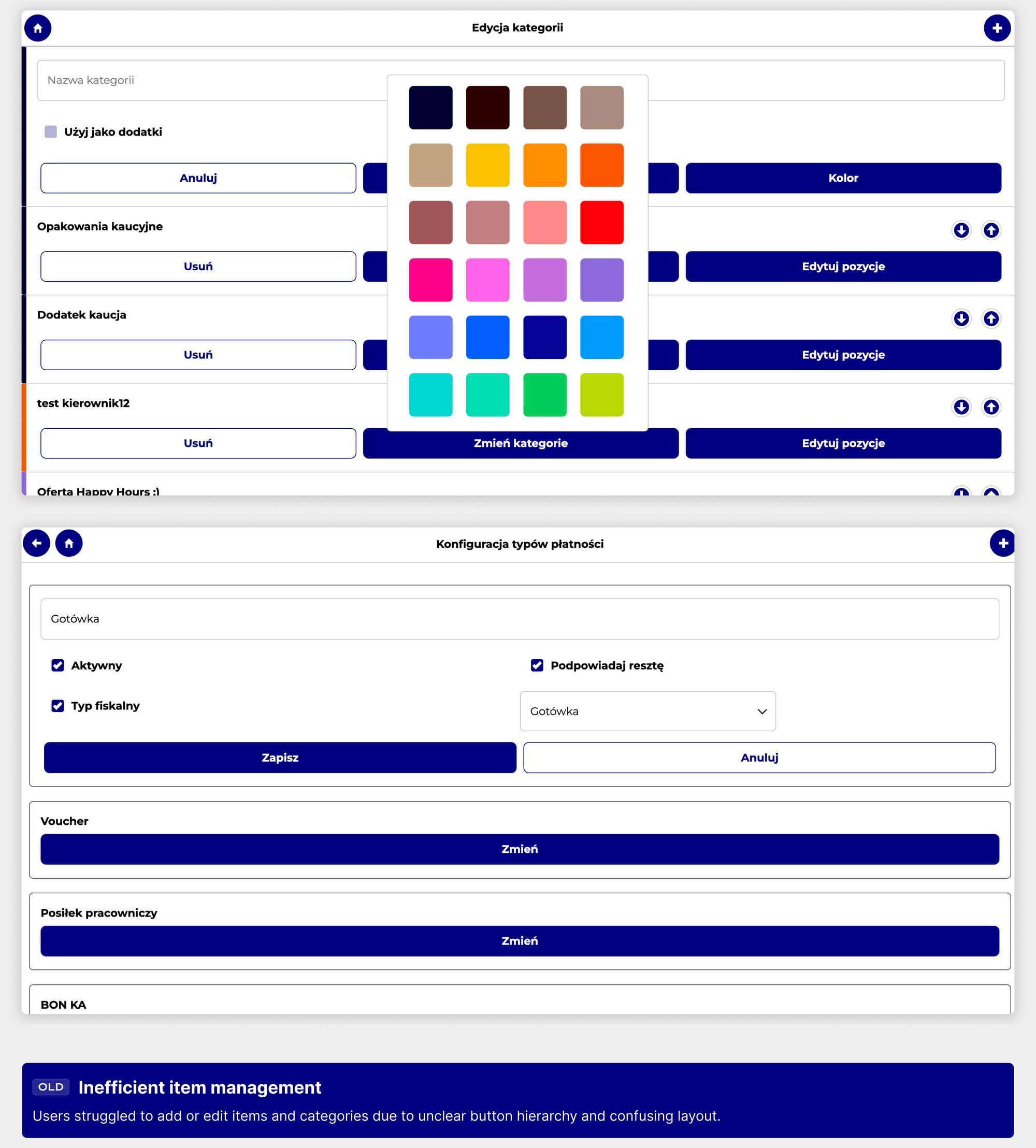
4. Inefficient item management

Adding and editing menu items or categories was cumbersome, and the action hierarchy was unclear. I unified button components and action states (primary / secondary).

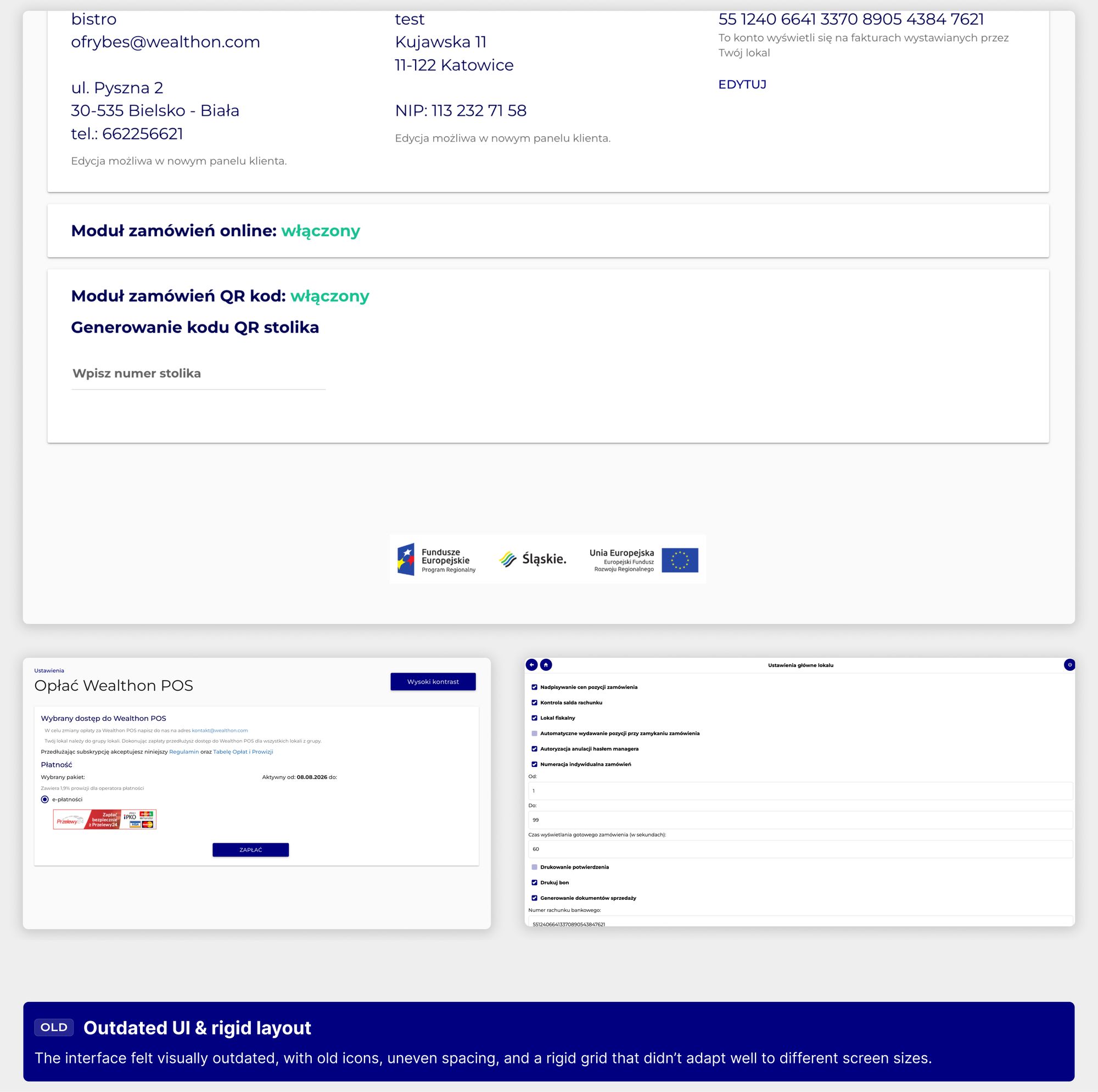
5. Outdated, non-responsive layout

The interface didn't scale well across resolutions. I implemented responsive, scalable layouts aligned with modern SaaS standards.

KEY REBUILD GOALS

From clutter to clarity: what I set out to achieve

I defined the technical goals not only around the business requirements for the POS module, but also with the broader Wealthon Client Panel in mind, of which the POS is an integral part. My focus was on clarity, consistency, and efficiency — making sure the POS frontend fit seamlessly into the larger ecosystem while addressing key user pain points through clean, reusable, and performant code.

PROCESS

A lean, iterative process focused on delivery and feedback

Due to time constraints, we skipped lengthy specs and worked straight from high-fidelity Figma designs, turning them into production-ready React components.

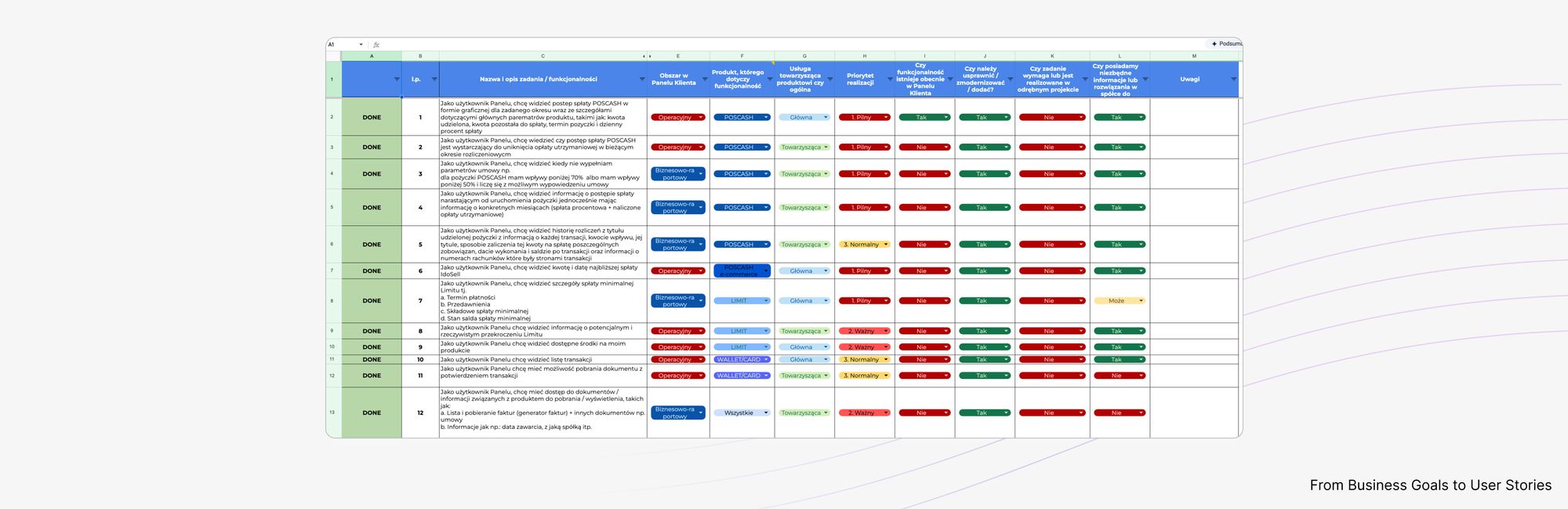
I used user stories from business analysts as the base for each flow, building feature by feature and testing internally after every sprint. This approach let me iterate fast and keep the frontend aligned with real system behavior.

COMPONENT LIBRARY

Building for scalability, not single screens

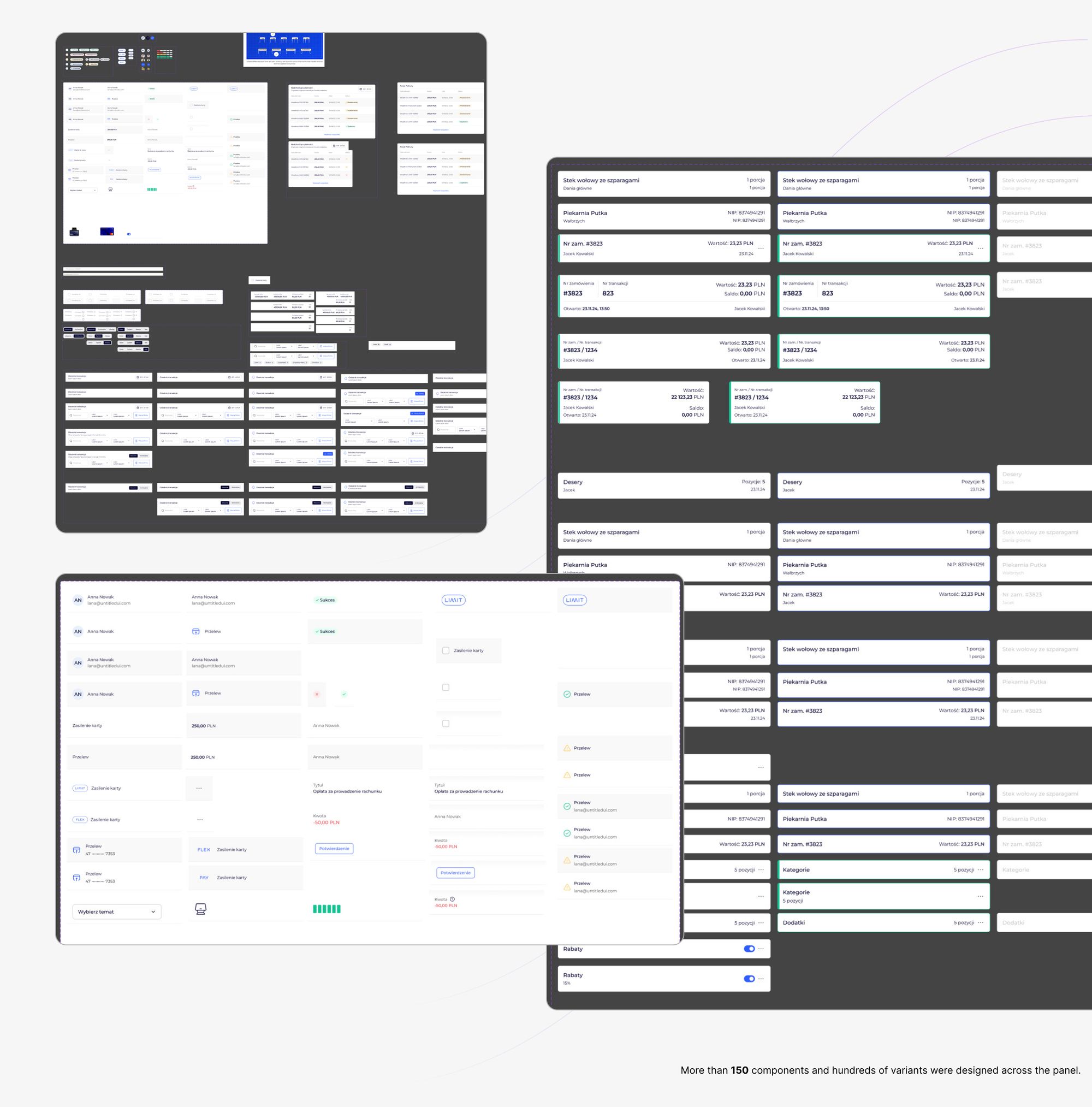
I built a dedicated component library for the Wealthon POS panel — a code layer combining consistency, scalability, and flexibility across the CRM ecosystem.

The foundation was inspired by Untitled UI and the existing internal design system (which covered the basic atoms: buttons, typography, spacing), but the POS module required deeper customization in code.

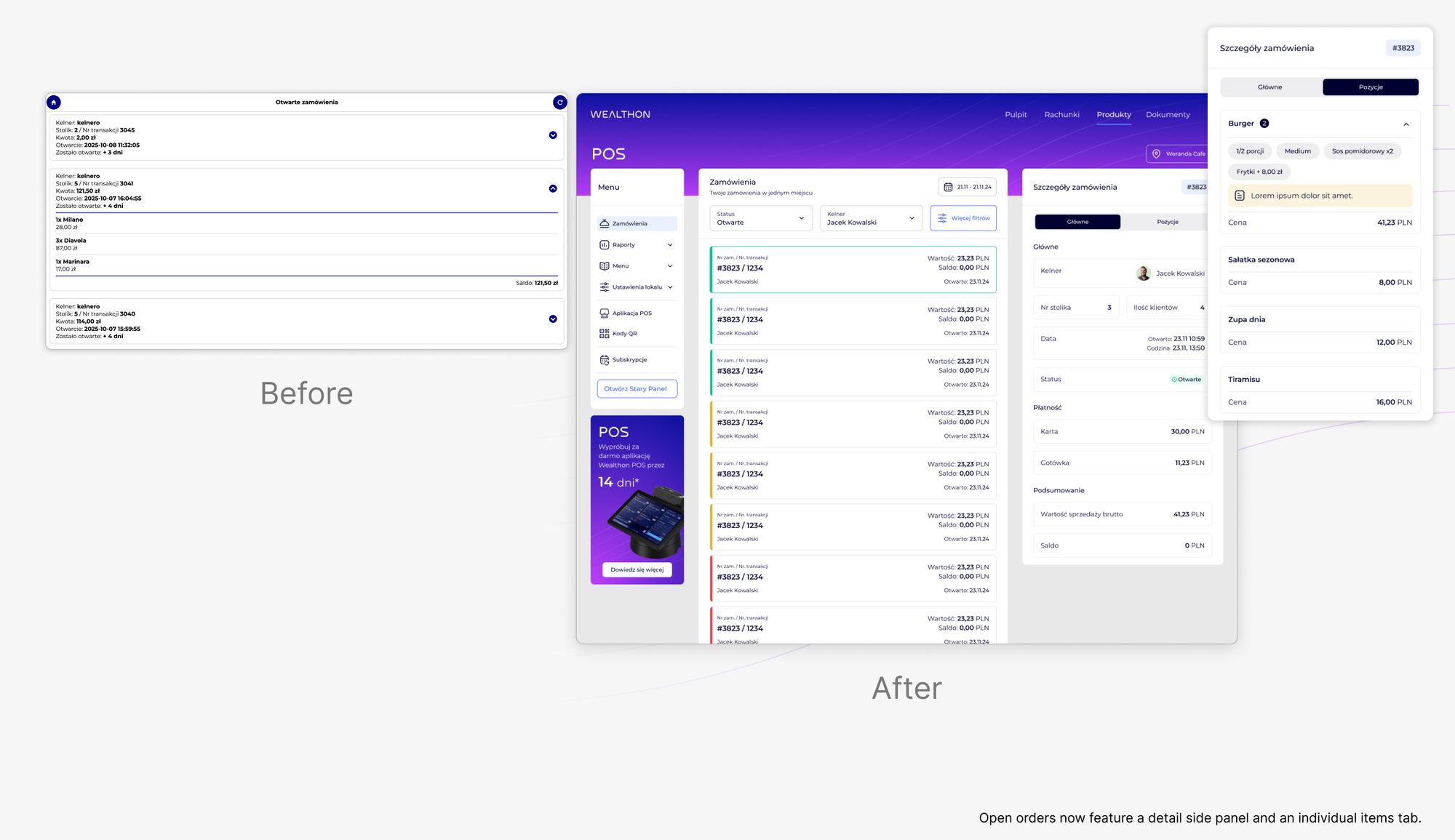
I extended the system with new, domain-specific components built for the POS environment: custom data tables, status indicators, widgets, bill components, and hierarchical menu structures — able to adapt to complex, real-world restaurant workflows.

The result was a modular, scalable library in React that unified the look and behavior of Wealthon products, sped up development, and made it possible to ship new features faster — without compromising usability or consistency.

KEY FLOWS

Key operational flows

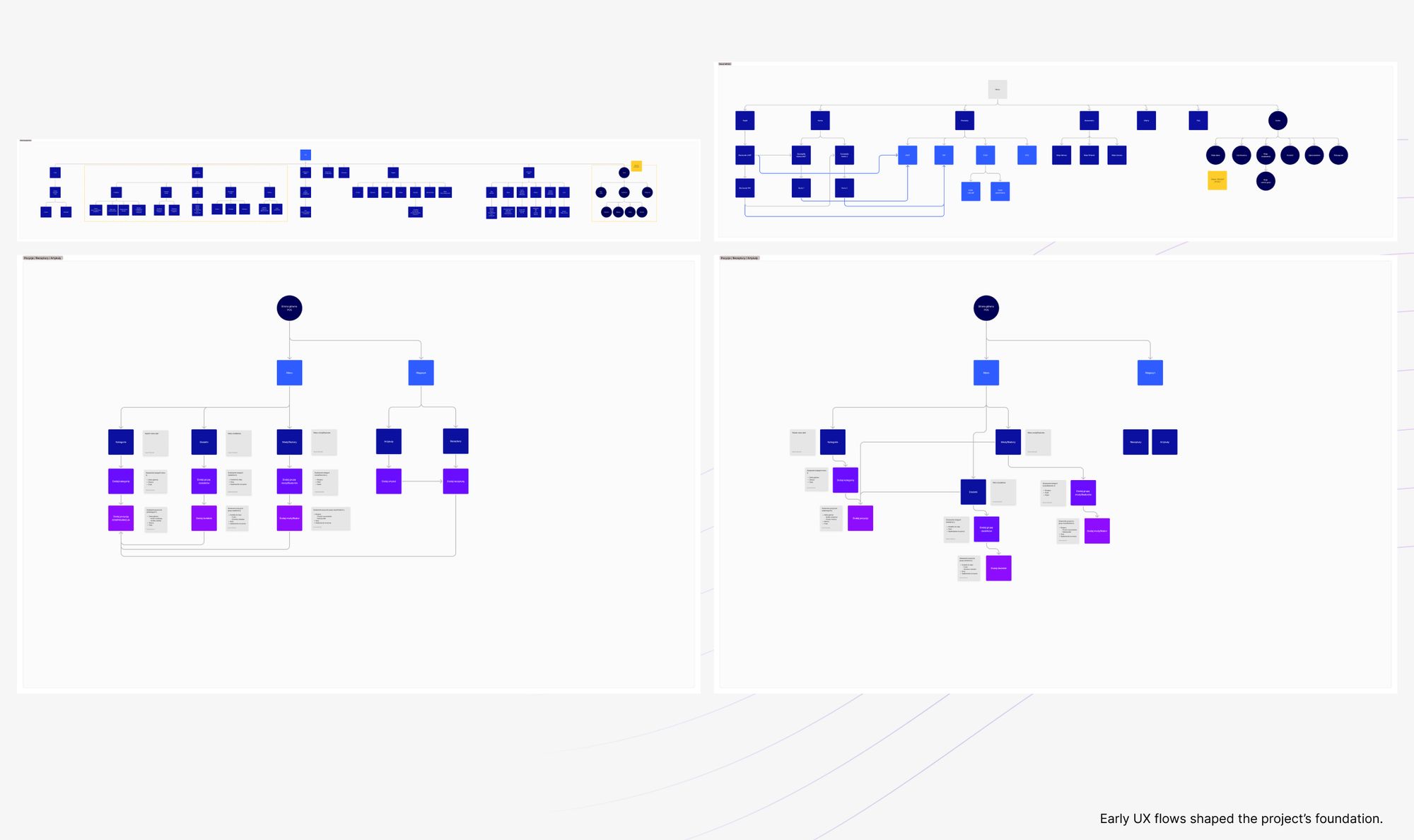
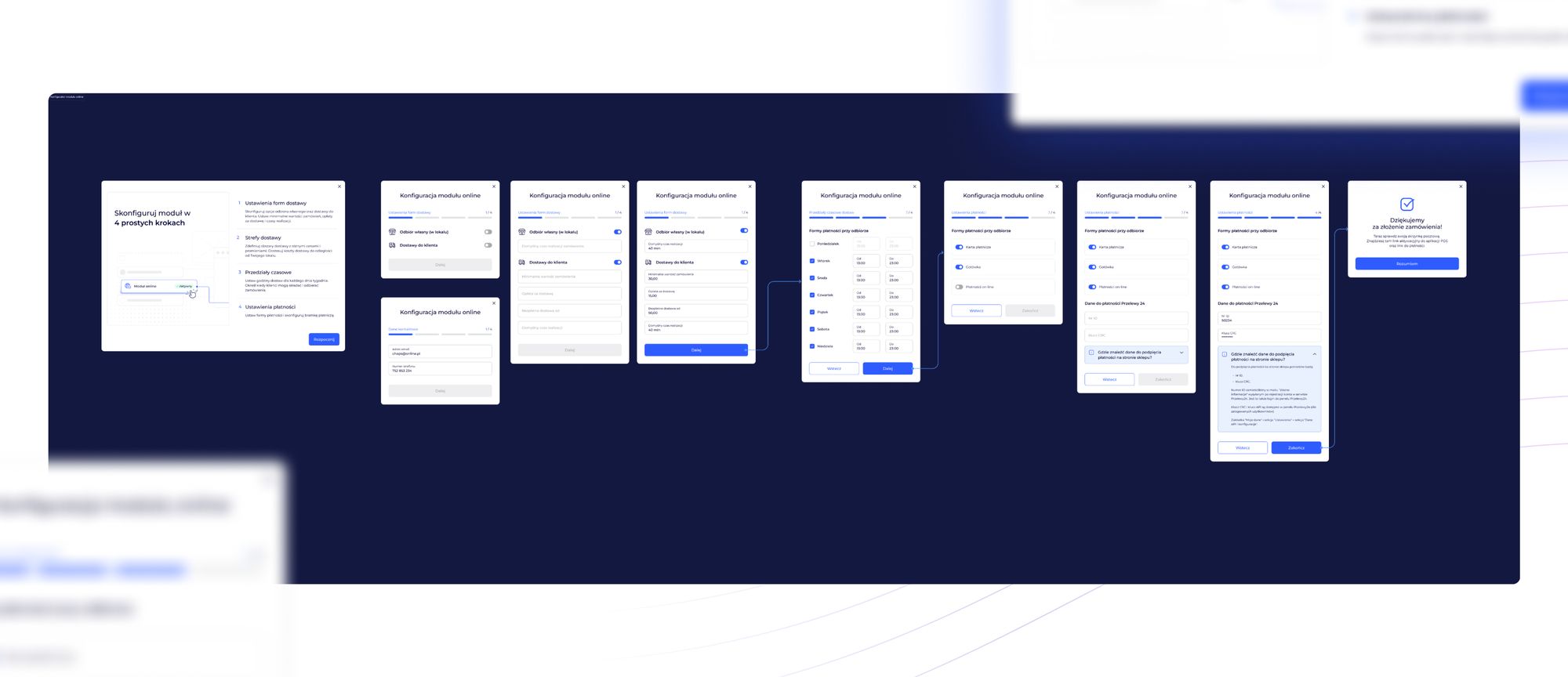
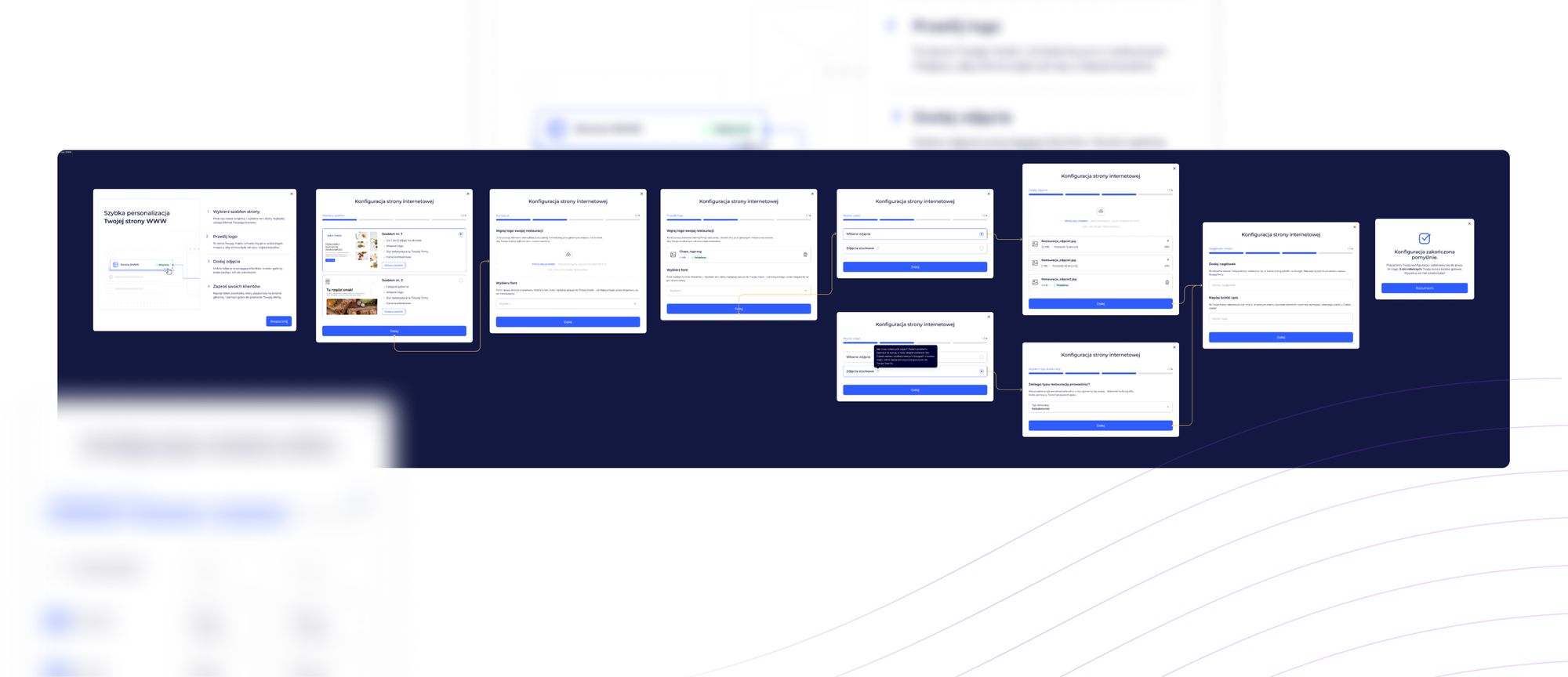
I implemented each POS feature as a clean, guided process — replacing the previous mix of forms and nested screens with structured flows that reflect how restaurant teams actually work.

The goal wasn't just to make the interface "look better," but to make every action more predictable, legible, and context-aware — with proper handling of loading, error, and validation states.

These flows became the backbone of the new POS experience — turning previously fragmented tasks into smooth, complete paths that support real restaurant operations.

RESULTS

Clarity, consistency, and control

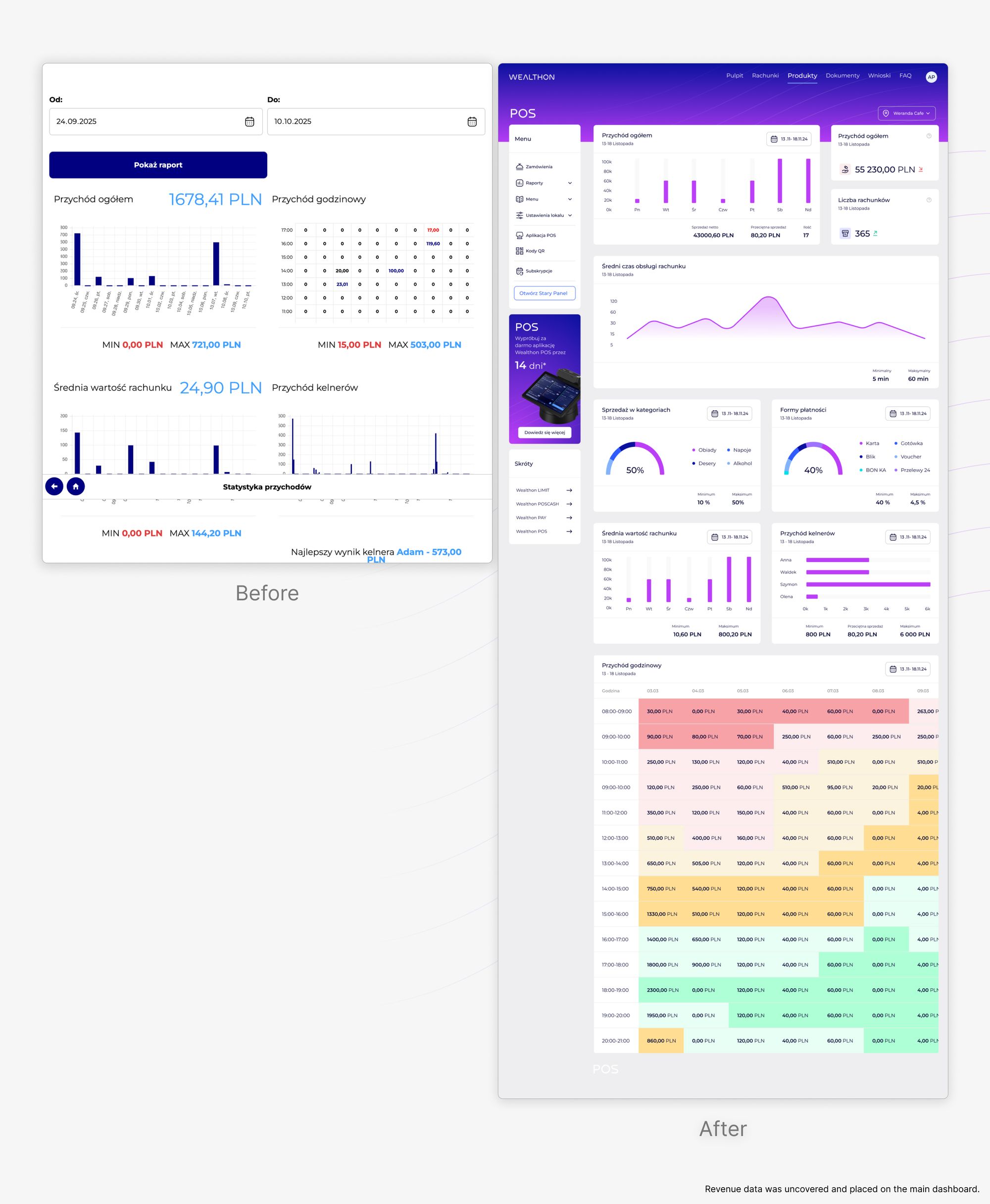
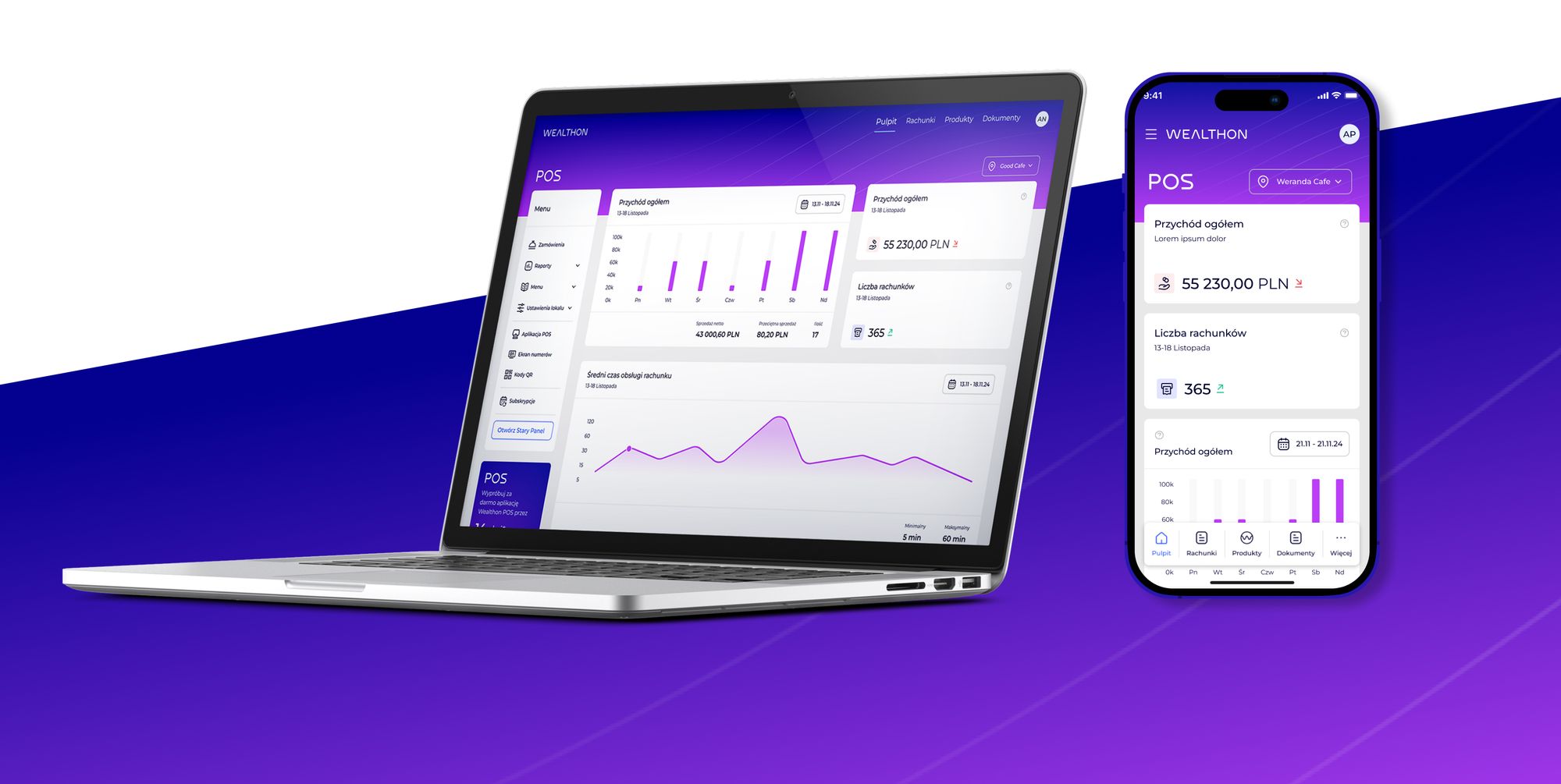
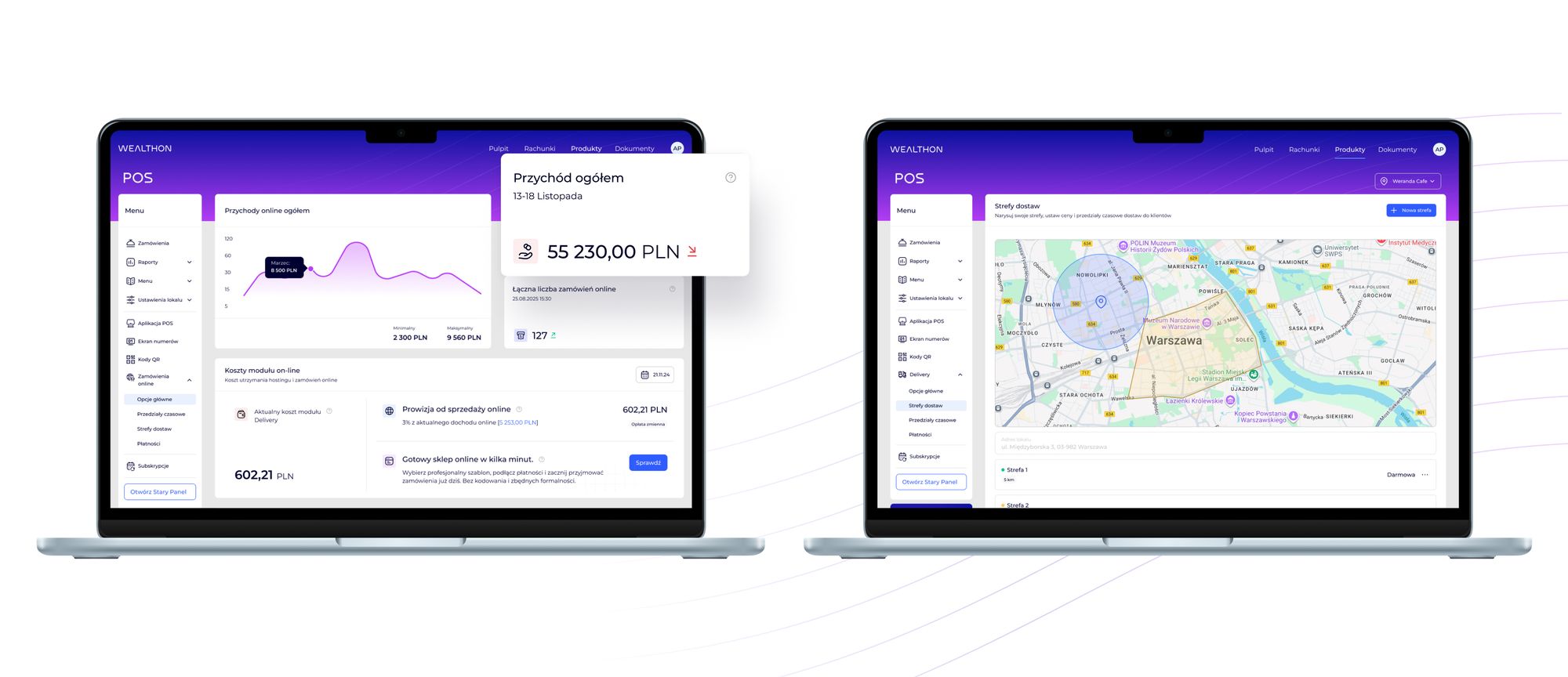
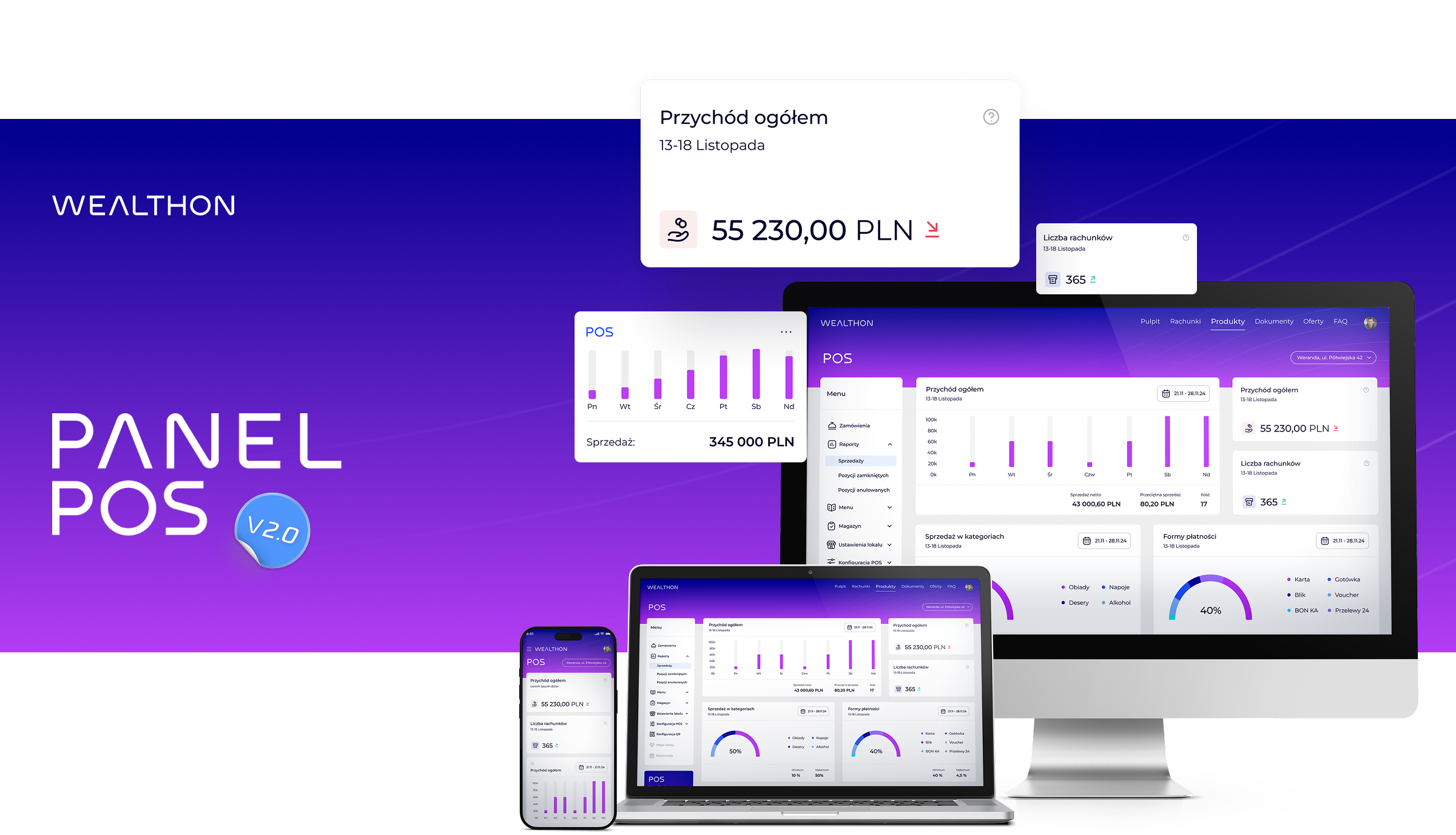
The redesign transformed the POS module from an overloaded, technical tool into a cohesive, easy-to-navigate management environment. I replaced overloaded tables, inconsistent layouts, and visually heavy admin views with a structured interface built around legibility, balance, and hierarchy.

Typography and spacing were unified across the module through shared components, improving readability even in data-heavy views. A calmer palette directs attention to the key metrics and actions.

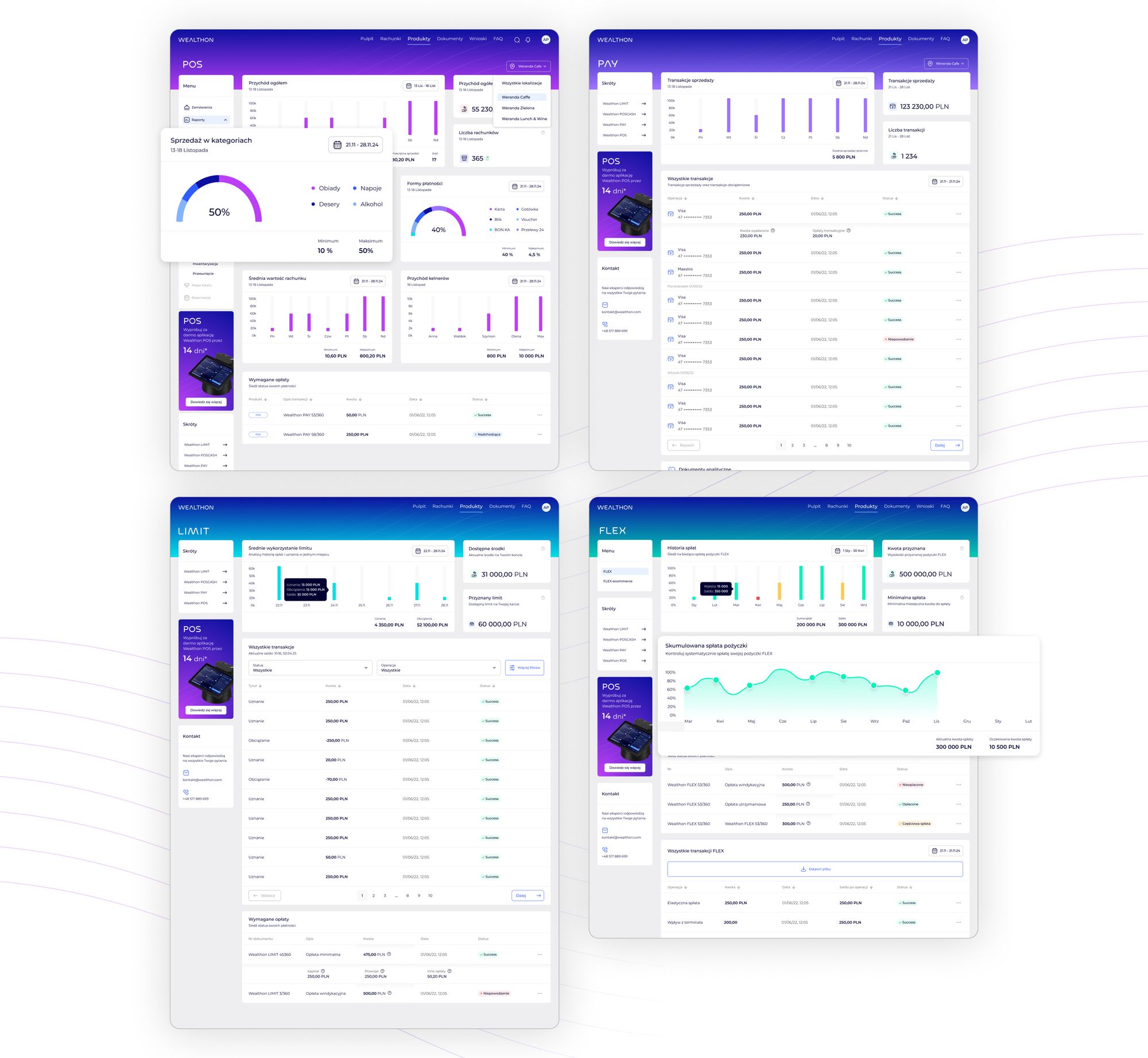
The result is a POS management experience that is modern, consistent, and intuitive — where reports, menu updates, and configuration are faster and more predictable. Managers and owners can move between products (POS, PAY, LIMIT, FLEX) without friction, within one cohesive Wealthon ecosystem.

FINAL INTERFACE

A cohesive, modern POS management experience

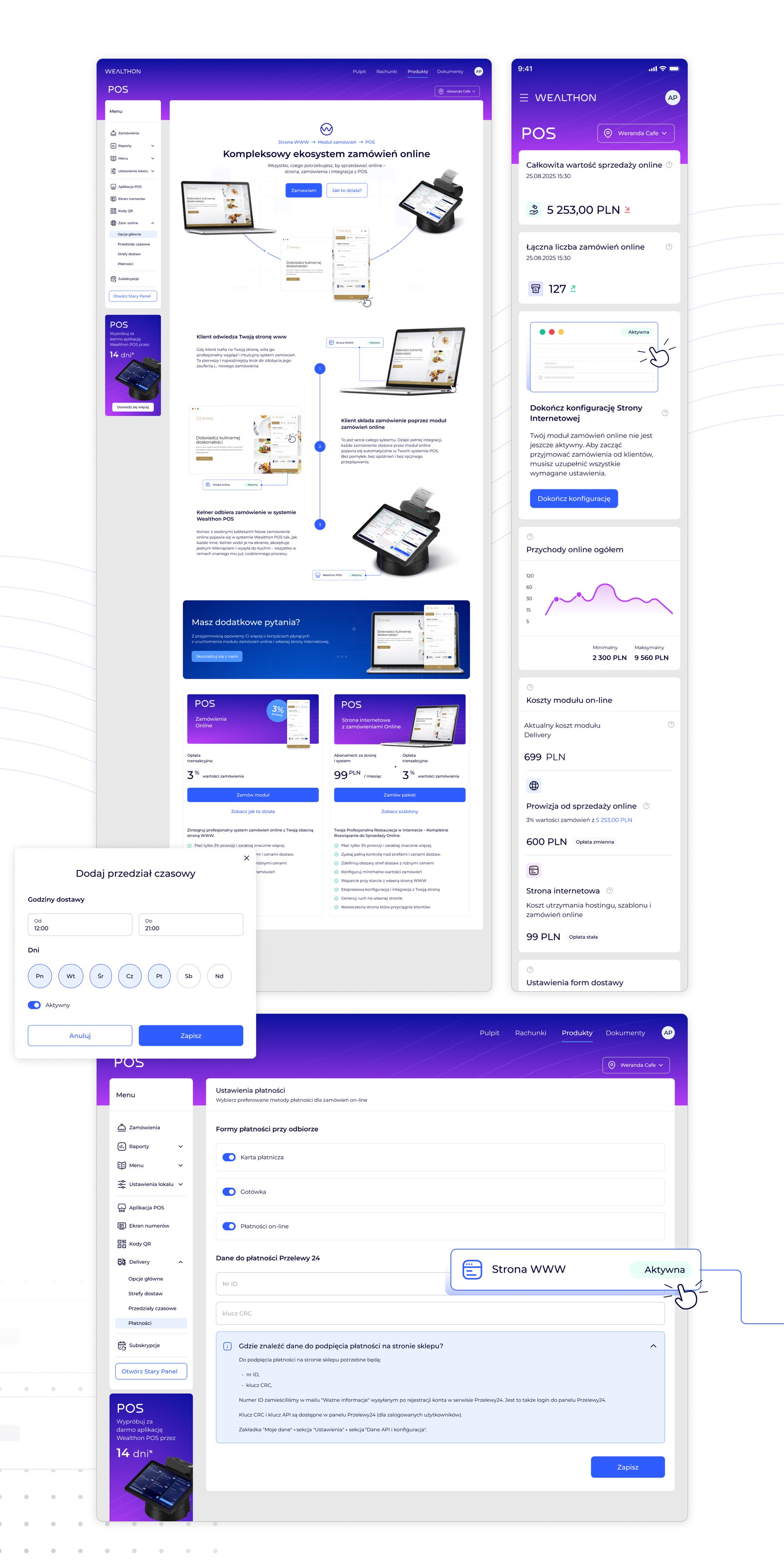
The rebuilt POS module turns a complex, fragmented interface into a clean, confident, and predictable workflow. I built every view to reduce cognitive load, match real tasks, and integrate with the broader Wealthon ecosystem.

Key improvements:

The final interface doesn't just look modern — it reduces errors, speeds up operations, and gives users confidence in managing their restaurants.